3
Preparing your device
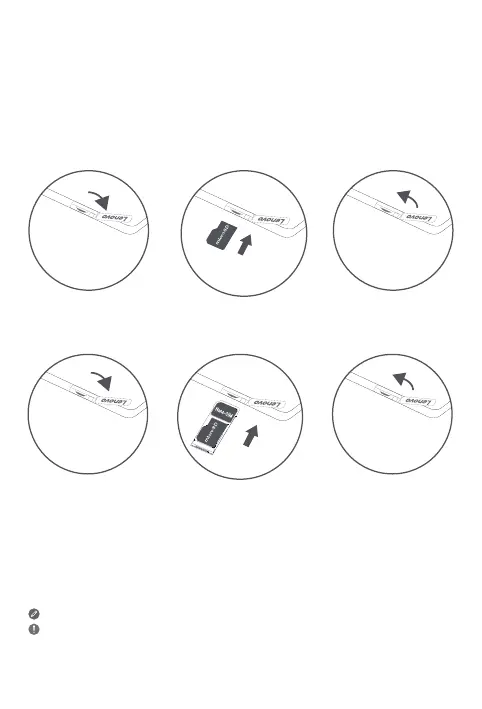
Use a microSD card (sold separately) for extra storage.
*To access cellular networks with your device (WLAN + 3G version only - model
number Lenovo TB-7104I), insert a Nano-SIM card provided by your carrier into the
slot as shown below.
Only Nano-SIM cards work with your device.
Do not insert or remove the Nano-SIM card while your device is powered on.
Doing so may cause permanent damage to your Nano-SIM card or device.
mic
r
oSD
Figure 1: WLAN
Figure 2: WLAN + 3G
Nano-SIM
mic
r
oSD














 To Next Page