4
Using your device for the first time
You might need to charge the battery before using your device.
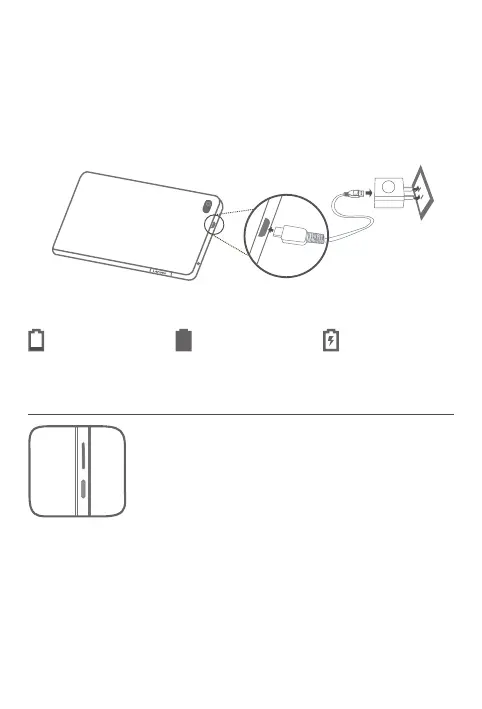
Insert the charger into the charging port as shown below.
Connect your device to a power outlet using the cable and USB power adapter
provided.
Turning on/o
Turn on: Press and hold the Power button until the Lenovo
logo appears.
Turn o: Press and hold the Power button for a few
seconds, then tap Power o.
Restart: Press and hold the Power button for about 10
seconds, then tap Reboot.
Low battery Fully charged Charging














 To Next Page