
 Need help?
Do you have a question about the Lenovo Tab M10 TB-X505F and is the answer not in the manual?
Identification of physical components like speakers, cameras, ports, buttons, and SIM tray.
Instructions for inserting microSD and Nano-SIM cards into the device.
Connect the device to a power outlet using the provided USB cable and adapter.
Press and hold the Power button until the Lenovo logo appears to turn on the device.
Danger of explosion/leakage if battery is replaced incorrectly or modified. Dispose according to regulations.
Precautions for battery handling: keep away from heat, water, extreme temperatures, short circuits.
Table detailing warranty periods and service types for different countries/regions.
Device meets international guidelines for radio wave exposure (SAR limit 2 W/kg).
 General
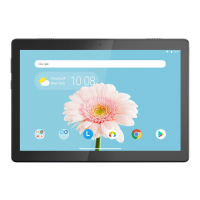
| Display Size | 10.1 inches |
|---|---|
| Resolution | 1280 x 800 pixels |
| Processor | Qualcomm Snapdragon 429 |
| RAM | 2GB |
| Operating System | Android 9.0 (Pie) |
| Rear Camera | 5 MP |
| Front Camera | 2 MP |
| Battery Capacity | 4850 mAh |
| Weight | 480 g |
| Dimensions | 243.2 x 169.2 x 8.45 mm |
| Bluetooth | Bluetooth 4.2 |
| Colors | Slate Black |
| Expandable Storage | microSD up to 256GB |
| Wi-Fi | Wi-Fi 802.11 a/b/g/n/ac |
| USB | Micro-USB |
| Internal Storage | 16GB / 32GB |





 To Next Page