EasyManua.ls Logo

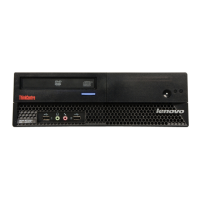
Lenovo ThinkCentre A85 - User Manual

Lenovo ThinkCentre A85
80 pages
Print Icon
To Next Page IconTo Next Page
Loading...
ThinkCentre
UserGuide
MachineTypes:0041,0107,0163,and7543

Table of Contents

Other manuals for Lenovo ThinkCentre A85

Questions and Answers

  • S
    Steven ThomasAug 10, 2025
    What to do if Lenovo ThinkCentre A85 Desktop computer does not start?
    • V
      virginiamillsAug 10, 2025
      If your Lenovo Desktop computer doesn't start, verify the following: * Ensure the power cord is correctly connected to the rear of the computer and a working electrical outlet. * Check that the power indicator on the front of the computer is lit. * Confirm the computer voltage matches the voltage available at the electrical outlet.
  • R
    Robert TuckerAug 15, 2025
    What to do if Lenovo Desktop keyboard does not work?
    • R
      Reginald SheltonAug 15, 2025
      If your Lenovo Desktop keyboard isn't working, check these things: * Make sure the computer is turned on. * Ensure the keyboard is properly connected to the correct keyboard connector (either the PS/2 or a USB connector) on the computer. * Verify that no keys are stuck.
  • C
    Cody HernandezAug 22, 2025
    Why Lenovo ThinkCentre A85 Desktop monitor screen is blank?
    • J
      Jeffrey RodriguezAug 22, 2025
      If your Lenovo Desktop monitor screen is blank, check the following: * Ensure the monitor signal cable is properly connected to both the monitor and the correct monitor connector on the computer. If a PCI graphics card is installed, use the connector on the graphics card instead of the integrated one on the system board. * Make sure the monitor's power cord is correctly connected to both the monitor and a working electrical outlet. * Confirm that the monitor is powered on and that the brightness and contrast settings are appropriately adjusted. * Verify that the computer voltage matches the voltage available at the electrical outlet.
  • A
    Amy CohenAug 27, 2025
    What to do if Lenovo ThinkCentre A85 Desktop operating system does not start?
    • E
      Erin KramerAug 28, 2025
      If the operating system on your Lenovo Desktop doesn't start, verify that the device where the operating system resides is listed in the startup device sequence. The operating system is usually located on the hard disk drive.
  • D
    David VanceSep 2, 2025
    What to do if Lenovo ThinkCentre A85 Desktop mouse does not work?
    • D
      Debra JonesSep 2, 2025
      If your Lenovo Desktop mouse isn't working, check the following: * Ensure that the computer is turned on. * Verify that the mouse is correctly connected to the appropriate mouse connector (either the PS/2 mouse connector or one of the USB connectors) on the computer. * Confirm that the mouse is clean.

Summary

Important Safety Information

Chapter 1. Product Overview

Features

Details the computer's features, including processor, memory, and drives.

Specifications

Lists the physical dimensions, weight, environment, and electrical input.

Chapter 2. Installing or Replacing Hardware

Handling Static-Sensitive Devices

Provides precautions to prevent static electricity damage to components.

Removing the Computer Cover

Step-by-step guide to safely open the computer chassis for internal access.

Chapter 3. Recovery Information

Solving Recovery Problems

Provides solutions for issues accessing recovery environments or the OS.

Chapter 4. Using the Setup Utility Program

Chapter 5. Updating System Programs

Recovering from a POST and BIOS Update Failure

Procedure for recovering the system after a failed BIOS update.

Lenovo ThinkCentre A85 Specifications

General IconGeneral
BrandLenovo
ModelThinkCentre A85
CategoryDesktop
LanguageEnglish

Related product manuals