EasyManua.ls Logo

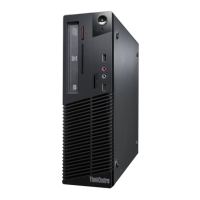
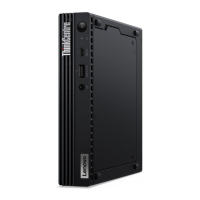
Lenovo ThinkCentre M73 10AY - User Manual

Lenovo ThinkCentre M73 10AY
162 pages
Print Icon
To Next Page IconTo Next Page
Loading...
ThinkCentreM73
UserGuide
MachineTypes:10AX,10AY,10DK,10DL,10DM,and10DN

Table of Contents

Other manuals for Lenovo ThinkCentre M73 10AY

Questions and Answers

  • J
    Jason NicholsAug 9, 2025
    What to do if Lenovo ThinkCentre M73 10AY computer does not start when I press the power switch?
    • J
      Jose BeckerAug 9, 2025
      If your Lenovo Desktop doesn't start when you press the power switch, check the following: * Ensure the power cord is correctly connected to the rear of the computer and a working electrical outlet. * If there's a secondary power switch at the rear, make sure it's on. * Confirm the power indicator on the front of the computer is lit. * Verify the computer voltage matches the voltage available at the outlet.
  • P
    petersstephanieAug 15, 2025
    Why Lenovo ThinkCentre M73 10AY Desktop keyboard does not work?
    • D
      Donna ColemanAug 15, 2025
      If your Lenovo Desktop keyboard isn't working, verify that: * The computer is turned on. * The keyboard is securely connected to a USB connector on the computer. * No keys are stuck.
  • A
    Ashley SellersAug 23, 2025
    Why Lenovo ThinkCentre M73 10AY monitor screen is blank?
    • D
      Dylan PrattAug 25, 2025
      If your Lenovo Desktop monitor screen is blank, please verify the following: * The monitor signal cable is correctly connected to both the monitor and the appropriate connector on the computer. * The monitor power cord is correctly connected to the monitor and a working electrical outlet. * The monitor is turned on, and the brightness and contrast are correctly set. * The computer voltage matches the voltage available at the electrical outlet. * If your computer has two monitor connectors, use the connector on the graphics card.
  • N
    Nicholas DelgadoAug 31, 2025
    Why Lenovo ThinkCentre M73 10AY mouse does not work?
    • M
      Melissa HoffmanAug 31, 2025
      If your Lenovo Desktop mouse isn't working, verify that: * The computer is turned on. * The mouse is securely connected to a USB connector on the computer. * The mouse is clean.

Lenovo ThinkCentre M73 10AY Specifications

General IconGeneral
BrandLenovo
ModelThinkCentre M73 10AY
CategoryDesktop
LanguageEnglish

Related product manuals