Need help?
Do you have a question about the Lenovo ThinkPad A485 and is the answer not in the manual?
Essential initial safety guidelines for using your computer.
Tips for optimal computer use and to avoid discomfort or injury.
Introduces hardware features, including controls and indicators.
Details various hardware components and features.
Provides technical details like size, heat output, and power source.
Instructions on using the multi-touch screen and its gestures.
Details how to use the ThinkPad pointing device and its components.
Information on balancing performance and power usage.
Information on establishing wireless network connections.
Introduces docking stations for enhanced connectivity.
Step-by-step guide on connecting the computer to a docking station.
Step-by-step guide on disconnecting the computer from a docking station.
Information for users with disabilities to access technology.
Advice on workspace arrangement and habits for comfort.
Basic tips for keeping the computer in good working order.
Information on setting up and using power-on, supervisor, and hard disk passwords.
Tips to enhance security and protect data from unauthorized access.
Instructions on enrolling and using fingerprints for authentication.
Instructions for installing the Windows 10 OS.
Guides on downloading and installing device drivers.
How to configure BIOS settings for preferred operation.
Advice on preventing common computing issues.
Guides on identifying and solving computer problems.
Information for resolving specific computer errors, messages, or symptoms.
Guides on resetting the computer to reinstall the OS.
Options for changing firmware, startup settings, or restoring from image.
Steps to recover or repair the OS when it fails to start.
Identifies parts replaceable by customer or technicians.
Precautions to avoid static-electricity damage to components.
Step-by-step instructions for replacing the removable battery.
Instructions for removing and installing the keyboard.
Advice on solving problems using documentation and support resources.
Information on various sources for help and service from Lenovo.
Information on how to get help and service by telephone.
How to access the Lenovo Limited Warranty information online or on the computer.
Guides on using the Ubuntu operating system's help system.
Provides product name, compliance ID, and machine types.
Information regarding wireless interoperability and Bluetooth specifications.
Information on RF safety standards and restricted use environments for wireless devices.
Encourages responsible recycling of IT equipment and provides links for information.
Explains WEEE marking and regulations for waste electrical equipment.
Guidelines for collecting and recycling Lenovo computers and monitors in Japan.
Compliance with EU Directive 2011/65/EU regarding hazardous substances.
RoHS information for products sold in China.
 General
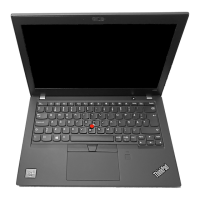
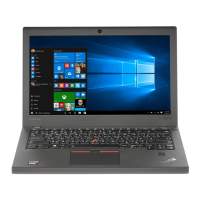
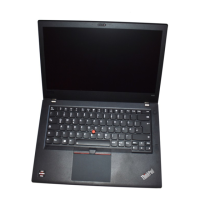
| Graphics | Integrated AMD Radeon Vega Graphics |
|---|---|
| Operating System | Windows 10 Pro |
| Processor | AMD Ryzen 5 Pro 2500U / Ryzen 7 Pro 2700U |
| Display | 1920x1080 (Full HD) IPS |
| Memory | Up to 32GB DDR4 |
| Storage | Up to 1TB SSD |
| Weight | Starting at 1.65 kg |
| Ports | HDMI |
| Wireless | Wi-Fi 802.11ac, Bluetooth 4.2 |
| Webcam | 720p HD with ThinkShutter |
| Audio | Stereo speakers |











 To Next Page