Need help?
Do you have a question about the Lenovo ThinkPad X1 and is the answer not in the manual?
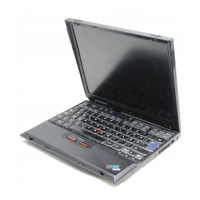
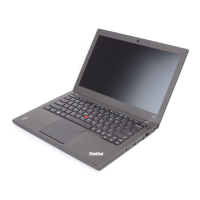
Introduces the hardware features of your computer.
Details processor, memory, display, keyboard, interface, card slot, wireless, security.
Covers TrackPoint, touch pad, and customizing their settings.
Details checking battery status, using AC adapter, and power-saving modes.
Explains Ethernet, wireless LAN, WAN, and Bluetooth connections.
Details how to use passwords to prevent unauthorized access.
Covers securing solid state/hard disk drives with BitLocker and encryption.
Explains how to configure the embedded security chip for data protection.
Guides on enrolling fingerprints and using the reader for authentication.
Instructions on creating and using media to restore the hard disk to factory settings.
Explains using Rescue and Recovery for backing up and restoring data.
Details how to perform recovery operations independently of the OS.
Provides steps to create and use rescue media for system recovery.
Detailed instructions for replacing the computer's hard disk or solid state drive.
Guides on installing a new OS, including necessary files and drivers.
Instructions for downloading and installing various device drivers.
Explains how to start and use the ThinkPad Setup utility for system configuration.
Details settings for Network, USB, Keyboard/Mouse, Display, Power, Beep/Alarm.
Covers password, fingerprint, security chip, and BIOS settings.
Explains how to change startup sequences and boot priorities.
Provides instructions for updating the system's UEFI BIOS.
Suggests using Lenovo Solution Center, ThinkVantage Toolbox, or Support website.
Covers common issues like unresponsive systems, spills, errors, and sleep problems.
 General
| Processor cache | 3 MB |
|---|---|
| Processor front side bus | 1333 MHz |
| Display diagonal | 13.3 \ |
| Display resolution | 1366 x 768 pixels |
| AC adapter power | 90 W |
| Speaker power | 2 W |
| HDD capacity | 128 GB |
| Ethernet LAN | Yes |
| Pointing device | Pointing Stick |
| Audio quality | 16 bit |




 To Next Page