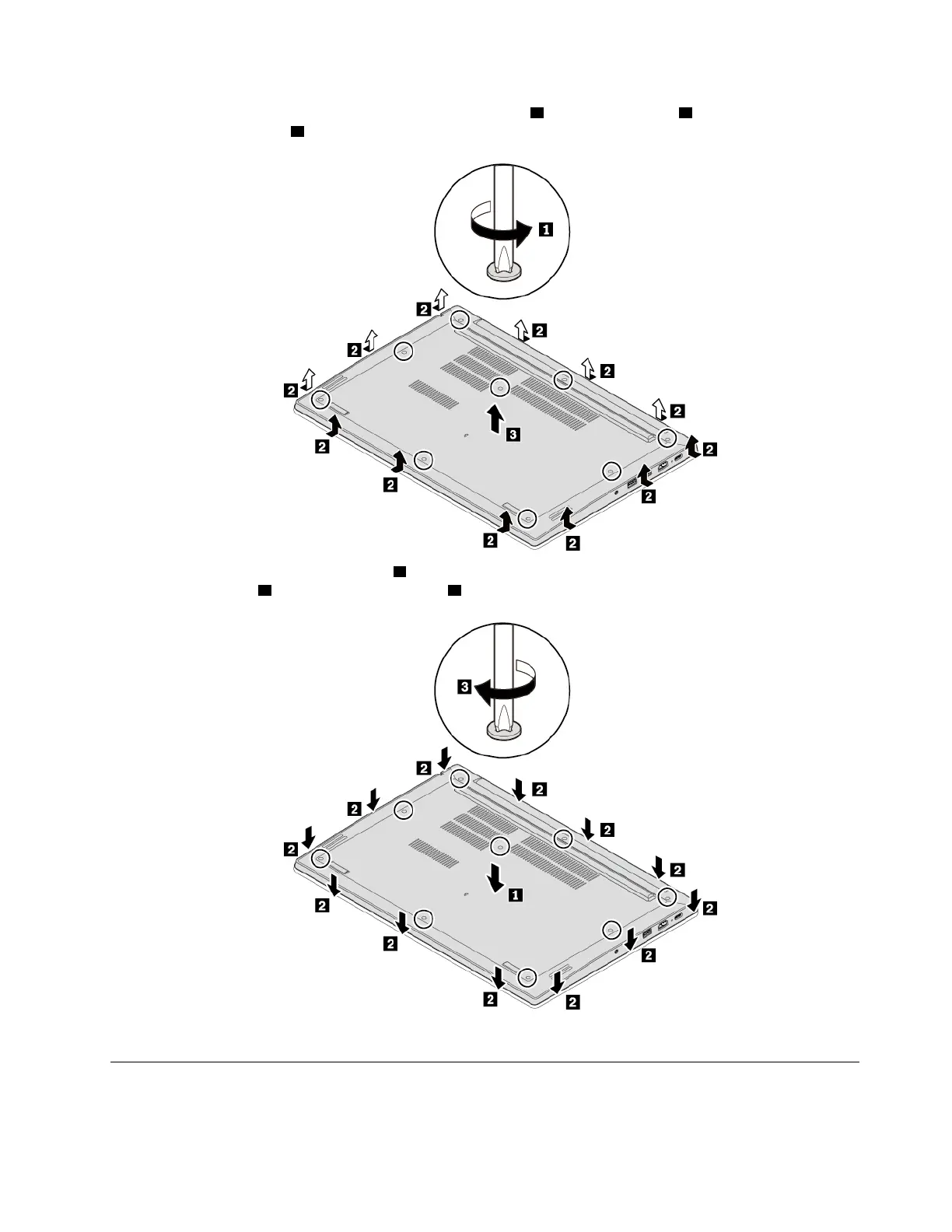
4. Loosen the screws that secure the base cover assembly 1 , pry up the latches 2 , and then remove the
base cover assembly
3 .
5. Install the new base cover assembly 1 and ensure that the latches of the base cover assembly are
secured in place
2 . Then tighten the screws 3 .
6. Turn the computer over. Connect the ac power adapter and all cables to the computer.
Replacing the memory module
Before you start, read “Important safety information” on page iii and print the following instructions.
Chapter 9. Replacing devices 85














 To Next Page