ForWindows8:TostartLenovoFingerprintsoftware,referto“AccessingLenovoprogramsonthe
Windows8operatingsystem”onpage16.
3.Followtheinstructionsonthescreentoenrollyourngerprint.Fordetails,refertothehelpinformation
systemfortheprogram.
Swipingyourngeroverthereader
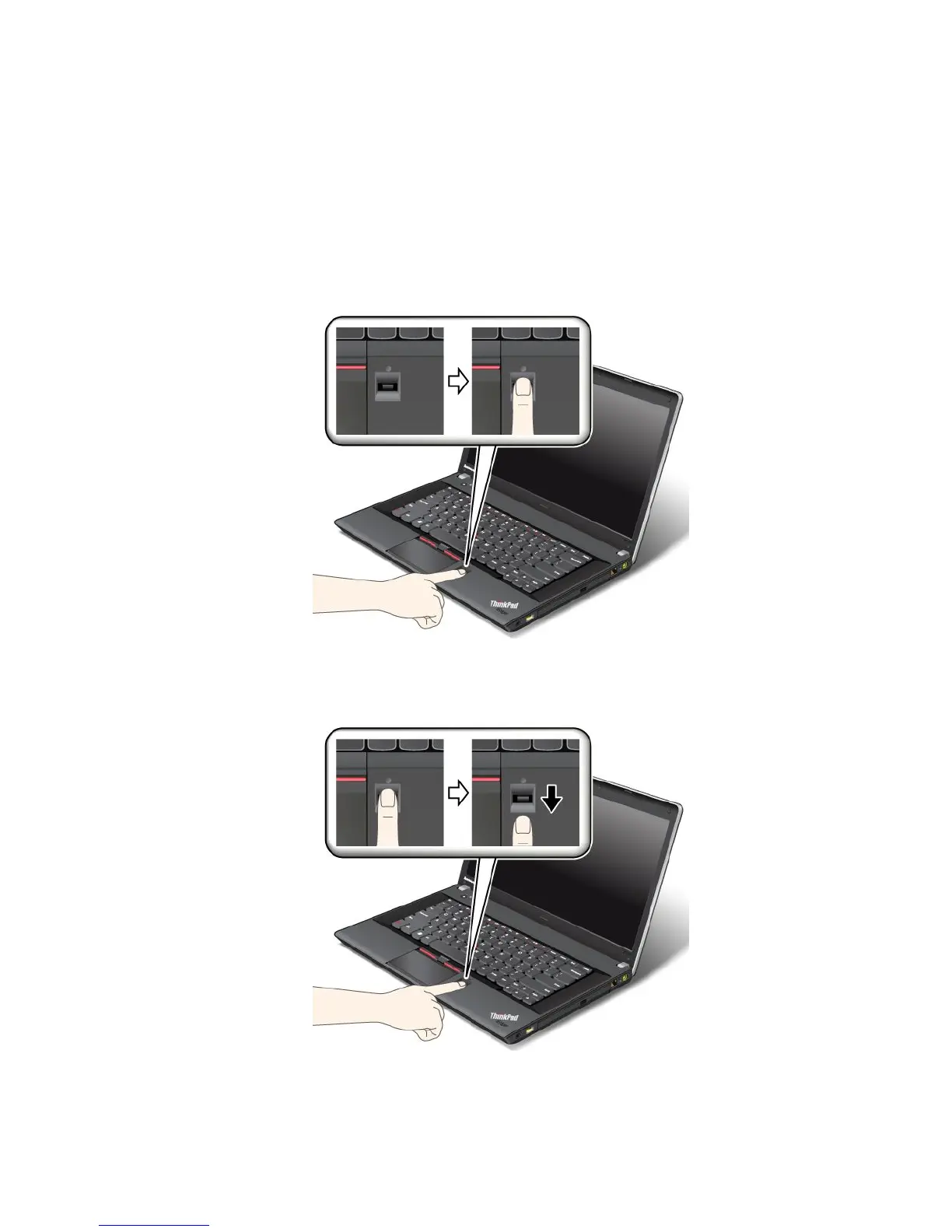
Toswipeyourngeroverthereader,dothefollowing:
1.Placetheballofyournger(thecentralpartofthengerprint)onthesmallcircleabovethereader.Make
surethattheentiretopjointofthengerisonthereader.
Note:Yourcomputerkeyboardmightlookdifferentfromtheillustrationabove.
2.Applylightpressureandswipeyourngeracrossthereaderinonesmoothmotion.
Note:Yourcomputerkeyboardmightlookdifferentfromtheillustrationabove.
Chapter4.Security55














 To Next Page