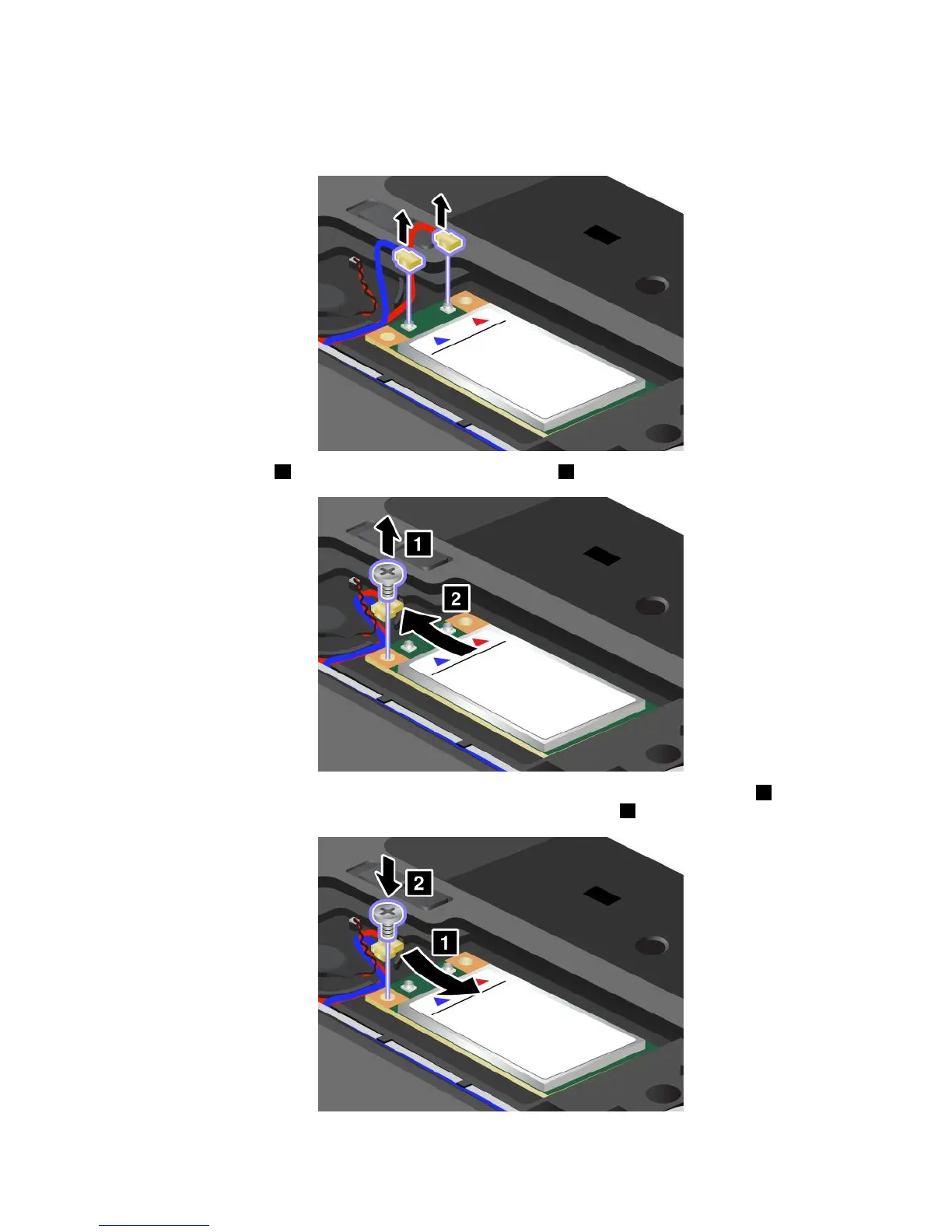
5.Ifatoolforremovingconnectorsisincludedinthepackagewiththenewcard,useittodisconnectthe
cablesfromthecard.Ifnosuchtoolisincluded,disconnectthecablesbypickinguptheconnectors
withyourngersandgentlyunpluggingthem.
6.Removethescrew1.Thecardpopsup.Removethecard2.
7.AlignthecontactedgeofthenewPCIExpressMiniCardwiththecorrespondingsocket1.Pivotthe
carduntilyoucansnapitintoplace.Securethecardwiththescrew2.
Chapter6.Replacingdevices81














 To Next Page