
 Need help?
Do you have a question about the Lenovo ThinkPad T450s and is the answer not in the manual?
Identifies physical controls, ports, and indicators on the computer.
Details how to find machine type, model, FCC ID, and other labels.
Lists the key hardware and software features of the computer.
Provides technical details like size, heat output, and power source.
Outlines recommended conditions for temperature and humidity.
Describes preinstalled Lenovo software for system management and support.
Explains the benefits and process of registering the computer with Lenovo.
Provides answers to common user queries and troubleshooting tips.
Details how to use various touch gestures on the screen.
Explains the function of special keys and Fn key combinations.
Covers the use of TrackPoint and Trackpad for navigation.
Guides on using battery power, sleep mode, and hibernation.
Instructions for Ethernet and wireless LAN/WAN connections.
Connects to monitors or projectors and configures display modes.
Details how to use microphones, speakers, and audio connectors.
Covers using the integrated camera for photos and video.
Instructions for inserting and removing media cards.
Tips for ergonomic setup and healthy work habits.
Guidance on posture, display, chair, and hand positions.
Advice on active sitting, breaks, and work area setup for comfort.
Lenovo's commitment to accessibility and available technologies.
Tips for efficient and safe travel with the computer.
Information on purchasing accessories and upgrades for the computer.
Explains how to connect and use docking stations to expand capabilities.
Identifies ports and controls on various docking station models.
Step-by-step guide for connecting the computer to a dock.
Instructions for safely removing the computer from a docking station.
Best practices for multi-monitor setups with docking stations.
Details the system lock key functionality for docking station security.
How to set up and use passwords for system access and data protection.
Explains the icons for entering different types of passwords.
Guides on setting, changing, or removing the power-on password.
Protects system configuration and overrides power-on passwords.
Details user and master hard disk password settings.
Tips to protect storage devices from unauthorized access.
Secures data using drive encryption software.
Configures the embedded security chip for enhanced protection.
Enrolls fingerprints for secure authentication.
Cleaning and care instructions for the fingerprint sensor.
Procedures for securely erasing data before disposal.
Explains how firewalls protect against network threats.
Guidance on using antivirus software for protection.
Step-by-step instructions for installing Windows 7 and 8.1.
How to download and install drivers for computer hardware.
Navigates the BIOS settings for system configuration.
Features for network administrators to manage computers remotely.
Advice on disk capacity, cleanup, backups, and driver updates.
How to check for and install the latest device drivers.
Guidelines on handling, cleaning, and environmental care.
Using Lenovo Solution Center for troubleshooting.
General guide for addressing errors, messages, and startup issues.
Steps to resolve system freezes and unresponsiveness.
Immediate actions to take if liquid is spilled on the computer.
Interprets and provides solutions for specific error codes.
Troubleshooting blank screens or missing system indicators.
Explains beep codes indicating hardware issues.
Diagnosing issues with RAM installation and compatibility.
Solves issues with Ethernet, wireless LAN, and WAN connections.
Addresses screen, audio, and optical drive issues.
Solutions for recovering the system on Windows 7.
Guides on making and using bootable media for recovery.
Solutions for recovering the system on Windows 8.1.
Resets PC without losing personal files or settings.
Restores the computer to its original state.
Accesses boot settings for recovery and diagnostics.
Steps to repair OS when Windows 8.1 won't boot.
Guides on making and using bootable media for recovery.
Precautions to avoid damage from static discharge during repairs.
Steps to safely disable the internal battery before hardware replacement.
Guides on inserting and removing the SIM card for WAN.
Instructions for safely removing and installing the external battery.
How to remove and reattach the bottom cover for access.
Detailed steps for replacing storage components.
Guides on adding or replacing RAM modules.
Instructions for replacing the wireless network card.
Step-by-step guide for keyboard removal and installation.
How to replace the CMOS battery.
Steps to prepare for contacting Lenovo support.
How to find and download software updates from Lenovo.
Details to collect before contacting support for effective assistance.
Where to find help and authorized service options.
Information on buying extended warranties and support.
Compliance details for wireless LAN and Bluetooth.
Standards and profiles supported by wireless components.
Information on radio frequency energy emissions.
Identifies the location of wireless antennas in the display.
Where to find official wireless compliance documentation.
Product name, compliance ID, and machine types.
Details US export regulations for the product.
FCC and Industry Canada compliance statements.
Explains the WEEE marking and disposal regulations.
Information specific to recycling in China.
Details on recycling computers and monitors in Japan.
Information on battery recycling in Taiwan.
EU directives on battery collection and recycling.
Guidelines for battery recycling in North America.
Lenovo compliance with EU Directive 2011/65/EU.
Hazardous substance content information for China.
Compliance with Indian E-Waste rules.
Compliance with Turkish hazardous substances directive.
Compliance with Ukrainian regulations on hazardous substances.
Explanation of the ENERGY STAR program and its benefits.
Pre-set power management features for energy saving.
Lists Lenovo and third-party trademarks.
 General
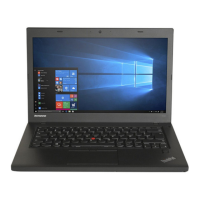
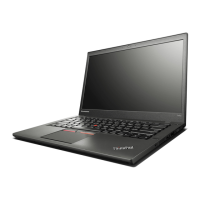
| Form factor | Clamshell |
|---|---|
| Product type | Laptop |
| Product color | Black |
| Housing material | Aluminium, Carbon fibre, Magnesium |
| Bus type | DMI2 |
| Stepping | F0 |
| Tjunction | 105 °C |
| Processor cache | 4 MB |
| Processor cores | 2 |
| Processor model | i7-5600U |
| System bus rate | 5 GT/s |
| Processor family | Intel® Core™ i7 |
| Processor series | Intel Core i7-5600 Mobile Series |
| Processor socket | BGA 1168 |
| Processor threads | 4 |
| Processor codename | Broadwell |
| Processor frequency | 2.6 GHz |
| Processor cache type | L3 |
| Configurable TDP-down | 7.5 W |
| Processor lithography | 14 nm |
| Processor manufacturer | Intel |
| Processor front side bus | - MHz |
| PCI Express slots version | 2.0 |
| Processor boost frequency | 3.2 GHz |
| Processor operating modes | 32-bit, 64-bit |
| ECC supported by processor | No |
| PCI Express configurations | 4x1, 2x4 |
| Thermal Design Power (TDP) | 15 W |
| Configurable TDP-down frequency | 0.6 GHz |
| Maximum number of PCI Express lanes | 12 |
| Motherboard chipset | Intel SoC |
| Memory slots | 1x SO-DIMM |
| Internal memory | 12 GB |
| Memory clock speed | 1600 MHz |
| Memory form factor | On-board + SO-DIMM |
| Internal memory type | DDR3L-SDRAM |
| AC adapter included | Yes |
| Intel segment tagging | Home Office, Small Business |
| Intel® Virtualization Technology (Intel® VT) | VT-d, VT-x |
| SSD capacity | The Solid State Drive's storage capacity in Gigabytes. |
| SSD interface | SATA III |
| Storage media | SSD |
| Total storage capacity | 512 GB |
| Compatible memory cards | MMC, SD, SDHC, SDXC |
| Number of SSDs installed | 1 |
| Display surface | Gloss |
| Display diagonal | 14 \ |
| Touch technology | Multi-touch |
| Touchscreen type | Capacitive |
| Display brightness | 264 cd/m² |
| Native aspect ratio | 16:9 |
| On-board graphics card ID | 0x1616 |
| Discrete graphics card model | Not available |
| On-board graphics card model | Intel® HD Graphics 5500 |
| On-board graphics card family | Intel® HD Graphics |
| Maximum on-board graphics card memory | 16 GB |
| On-board graphics card base frequency | 300 MHz |
| On-board graphics card DirectX version | 11.2 |
| On-board graphics card dynamic frequency (max) | 950 MHz |
| Audio system | Realtek ALC3232 |
| Speaker power | 2 W |
| Front camera resolution | 1280 x 720 pixels |
| Wi-Fi standards | Wi-Fi 5 (802.11ac), 802.11b, 802.11g, Wi-Fi 4 (802.11n) |
| Bluetooth version | 4.0 |
| Ethernet LAN data rates | 10, 100, 1000 Mbit/s |
| Charging port type | DC-in jack |
| USB 2.0 ports quantity | 0 |
| USB 3.2 Gen 1 (3.1 Gen 1) Type-A ports quantity | 3 |
| Keyboard layout | QZERTY |
| Pointing device | Trackpad |
| Keyboard language | US English |
| Operating system installed | Windows 8.1 Pro |
| Operating system architecture | 64-bit |
| Processor code | SR23V |
| Processor ARK ID | 85215 |
| Processor package size | 40 x 24 x 1.3 mm |
| Supported instruction sets | AVX 2.0, SSE4.1, SSE4.2 |
| Intel Identity Protection Technology version | 1.00 |
| Battery capacity | 47 Wh |
| Battery life (max) | 10.16 h |
| Number of battery cells | 3+3 |
| AC adapter power | 65 W |
| AC adapter frequency | 50 - 60 Hz |
| AC adapter input voltage | 100 - 240 V |
| Cable lock slot type | Kensington |
| Password protection type | HDD, Power on, Supervisor |
| Sustainability certificates | RoHS, EPEAT Gold, ENERGY STAR |
 Weight and Dimensions
| Depth | 227 mm |
|---|---|
| Width | 332 mm |
| Height | 24 mm |
| Weight | 1700 g |










 To Next Page
