
 Need help?
Do you have a question about the Lenovo ThinkPad T495S and is the answer not in the manual?
Illustrations and descriptions of computer front components, including camera and ThinkShutter.
Illustrations and descriptions of the computer base for ThinkPad T495s and X395 models.
Overview of ports on the left side of the computer, including USB-C and Ethernet.
Overview of ports on the right side of the computer, including smart-card and security slots.
Overview of rear components, including status indicators and card slots.
Overview of bottom components, including docking station holes and speakers.
Detailed specifications for ThinkPad T495s and X395 models.
List and description of all computer connectors and slots.
Introduction to Windows 10 basics and how to start using the computer.
Detailed explanation of Windows 10 interface elements like Start button and taskbar.
Instructions for connecting to wired and wireless networks.
Introduction to Lenovo Vantage for system updates and hardware configuration.
Methods for navigating the computer interface and screen.
Explanation of keyboard shortcuts for easier and more effective work.
Instructions on using the TrackPoint pointing device for navigation and control.
Instructions on using the trackpad for pointing, clicking, and scrolling.
How to navigate the screen using simple touch gestures.
Steps to connect and configure external displays.
Tips for balancing performance and power efficiency.
Instructions for charging the computer using AC power.
Steps to connect Bluetooth devices like keyboards and mice.
Instructions for installing and removing smart cards.
Details on supported microSD cards and how to install/replace them.
How to enable or disable Airplane mode to turn off wireless features.
Information on purchasing accessories and upgrades from Lenovo.
List of supported docking stations to extend computer capabilities.
Step-by-step instructions for attaching the computer to a docking station.
Step-by-step instructions for detaching the computer from a docking station.
Guidelines for connecting multiple external displays to docking stations.
How to physically secure the computer using a security cable lock.
Introduction to UEFI BIOS passwords and their types.
How to enroll and use fingerprints for logging into Windows.
How to set up and use face authentication for unlocking the computer.
Information on using firewalls and antivirus programs for security.
Introduction to UEFI BIOS and its functions.
How to change the boot device order in UEFI BIOS.
Methods for downloading and installing UEFI BIOS updates.
Introduction to Windows 10 recovery options and data backup.
Procedure for creating and using a recovery USB drive.
Instructions for installing Windows 10 OS and device drivers.
Definition and types of Customer Replaceable Units (CRUs).
Procedure to disable Fast Startup and the built-in battery before CRU replacement.
Prerequisites and replacement procedure for the base cover assembly.
Prerequisites and replacement procedure for the M.2 solid-state drive.
Prerequisites and replacement procedure for the Always On USB cable.
Common questions about accessing Control Panel, shutting down, and partitioning drives.
Table of common error messages and their solutions.
How to decode beep errors using Lenovo SmartBeep technology.
Information on accessing resources like Lenovo Vantage and support websites.
Information on contacting Lenovo Customer Support Center.
Details about warranty services and services not covered.
General safety notices for using the computer and its accessories.
Tips for safe usage and avoiding discomfort or injury.
Precautions to avoid burns from hot computer parts.
Safety warnings and instructions for using power cords and adapters.
Information on Lenovo's commitment to accessibility and available resources.
List of keyboard shortcuts for computer navigation and accessibility.
How to access and use the Ease of Access Center for accessibility settings.
Importance of ergonomics for comfort and performance while using the computer.
How to access the Lenovo Limited Warranty (LLW).
How to access the Ubuntu operating system help system.
Statements regarding compliance with radio frequency and safety standards.
Information on EU compliance with the Radio Equipment Directive.
Section on environmental, recycling, and RoHS information.
FCC compliance information for ThinkPad T495s and X395.
General notices about product availability, patents, and warranty disclaimers.
List of trademarks related to Lenovo, Microsoft, and other companies.
 General
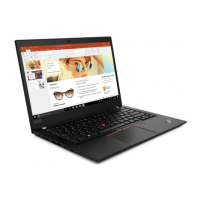
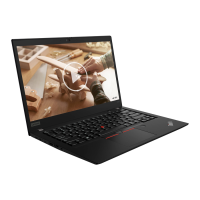
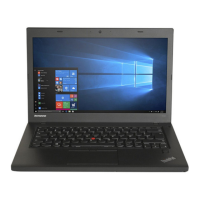
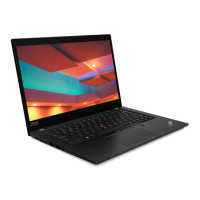
| Form factor | Clamshell |
|---|---|
| Product type | Laptop |
| Product color | Black |
| Housing material | Aluminium, Carbon Fibre Reinforced Polymer (CFRP), Magnesium |
| Display diagonal | 14 \ |
| Anti-glare screen | Yes |
| Display brightness | 250 cd/m² |
| Operating system language | French |
| Operating system architecture | 64-bit |
| Keyboard layout | AZERTY |
| Processor cache | 4 MB |
| Processor cores | 4 |
| Processor family | AMD Ryzen™ 5 PRO |
| Processor frequency | 2.1 GHz |
| Processor cache type | L2 & L3 |
| Processor manufacturer | AMD |
| Processor boost frequency | 3.7 GHz |
| Motherboard chipset | AMD SoC |
| Internal memory | 8 GB |
| Internal memory type | DDR4-SDRAM |
| SSD capacity | The Solid State Drive's storage capacity in Gigabytes. |
| Storage media | SSD |
| SSD form factor | M.2 |
| Total storage capacity | 256 GB |
| Compatible memory cards | MicroSD (TransFlash) |
| Number of SSDs installed | 1 |
| Battery capacity | 57 Wh |
| Battery life (max) | 16.4 h |
| AC adapter power | 65 W |
| Discrete graphics card model | Not available |
| On-board graphics card model | AMD Radeon Vega 8 |
| Cable lock slot type | Kensington |
| Trusted Platform Module (TPM) version | 2.0 |
| Audio chip | Realtek ALC3287 |
| Audio system | Dolby Audio Premium |
| Speaker power | 1 W |
| Number of built-in speakers | 2 |
| Privacy type | Privacy shutter |
| Front camera resolution | 1270 x 720 pixels |
| WWAN | Not installed |
| Bluetooth version | 5.1 |
| Top Wi-Fi standard | Wi-Fi 5 (802.11ac) |
| WLAN controller model | Intel Dual Band Wireless-AC 9260 |
| Ethernet LAN data rates | 100, 1000 Mbit/s |
| WLAN controller manufacturer | Intel |
| Sustainability certificates | ENERGY STAR, EPEAT Gold, RoHS, TCO |
| USB 2.0 ports quantity | 0 |
 Weight and Dimensions
| Depth | 226.15 mm |
|---|---|
| Width | 329 mm |
| Height | 16.7 mm |
| Weight | 1330 g |










 To Next Page

