34
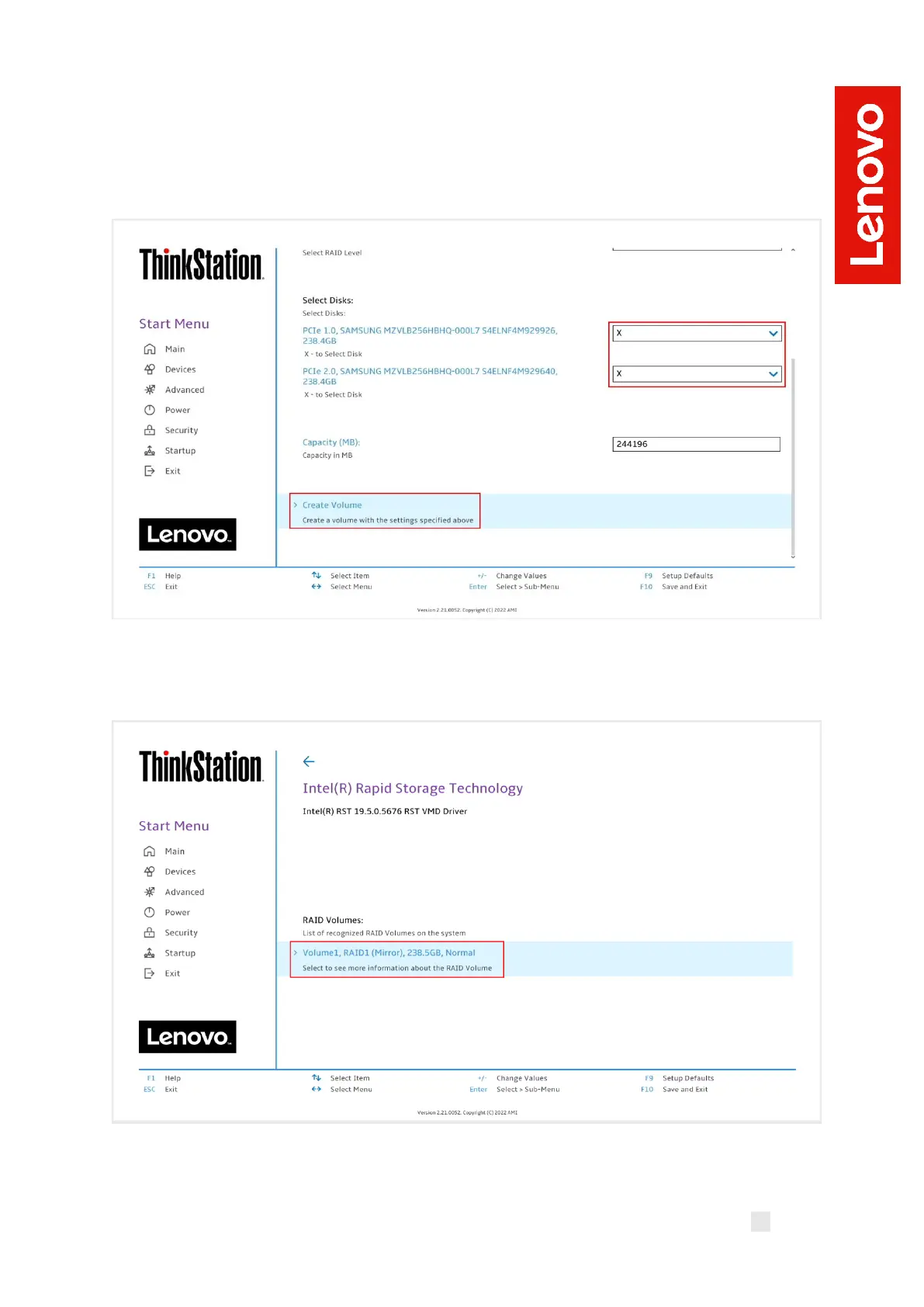
13. On the same page, select the drop-down box for each drive and select
“X” to add the drive to the array. Once all the required drives are added,
select “Create Volume”. Unselected drives will appear in an OS like
normal.
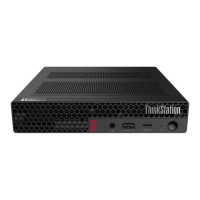
14. From the opening page of the “Intel(R) Rapid Storage Technology”,
verify the volume was created properly.








 To Next Page