
 Need help?
Do you have a question about the Lenovo YOGA TABLET 8 and is the answer not in the manual?
Instructions for powering the device on and off, detailing button presses and actions.
Information on obtaining support for network services, billing, and device usage instructions via website.
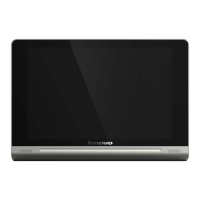
The Lenovo Yoga Tablet 8 and Yoga Tablet 10 are innovative mobile devices designed for versatility and user-friendly interaction. These tablets combine a sleek design with practical features, making them suitable for a wide range of activities from entertainment to productivity.
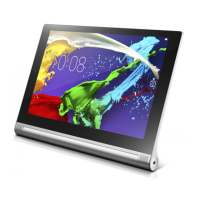
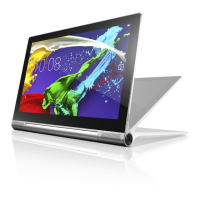
At its core, the Yoga Tablet functions as a portable computing device running on the Android operating system. It allows users to browse the internet, access various applications, play games, watch videos, read e-books, and manage personal information. The tablet supports wireless communication through Wi-Fi for internet access and Bluetooth for connecting to peripherals like headphones or keyboards. For models with 3G capabilities, cellular services enable mobile data connectivity and, in some cases, voice calls, expanding its utility beyond Wi-Fi environments. The integrated cameras, both front and back, facilitate photography, video recording, and video conferencing. A key distinguishing feature of the Yoga Tablet series is its unique cylindrical battery and kickstand design, which significantly enhances its ergonomic functionality and battery life compared to conventional tablets.
The Yoga Tablet's design is centered around its multi-mode usage, offering distinct ways to interact with the device based on the user's activity.
The tablet's display offers a clear and vibrant visual experience, suitable for multimedia consumption and detailed application usage. The intuitive Android interface provides easy navigation through apps and settings. Users can customize their home screens, organize applications, and access a vast ecosystem of apps through the Google Play Store. The inclusion of a microSD card slot allows for expandable storage, enabling users to carry more photos, videos, and documents. For models with 3G, the Micro SIM card slot provides the flexibility of cellular connectivity, ensuring internet access even when Wi-Fi is unavailable. The physical buttons for power and volume are strategically placed for easy access, complementing the touch-screen interface. The earphone jack allows for private audio listening, while the micro USB port serves for charging and data transfer.
Maintaining the Yoga Tablet involves several straightforward practices to ensure its longevity and optimal performance.
The Yoga Tablet is designed for durability and ease of use, with its unique form factor offering practical advantages in various scenarios. Adhering to the recommended usage and maintenance guidelines will help users maximize their experience with the device.
 General
| Processor cache | 1 MB |
|---|---|
| Processor cores | 4 |
| Processor family | Mediatek |
| Processor frequency | 1.2 GHz |
| Processor architecture | ARM Cortex-A7 |
| Processor boost frequency | 1.5 GHz |
| Internal memory | 1 GB |
| Internal memory type | LPDDR2-SDRAM |
| Storage media | Flash |
| Card reader integrated | Yes |
| Compatible memory cards | MicroSD (TransFlash) |
| Maximum memory card size | 64 GB |
| Internal storage capacity | 16 GB |
| Display diagonal | 8 \ |
| Touch technology | Multi-touch |
| Touchscreen type | Capacitive |
| Display resolution | 1280 x 800 pixels |
| Rear camera type | Single camera |
| Maximum video resolution | - pixels |
| Rear camera resolution (numeric) | 5 MP |
| Front camera resolution (numeric) | 1.6 MP |
| Audio system | Dolby Digital Plus |
| Wi-Fi standards | 802.11b, 802.11g, Wi-Fi 4 (802.11n) |
| Bluetooth version | 4.0 |
| Top Wi-Fi standard | Wi-Fi 4 (802.11n) |
| Near Field Communication (NFC) | - |
| Headphone connectivity | 3.5 mm |
| USB 2.0 ports quantity | 0 |
| Micro-USB 2.0 ports quantity | 1 |
| Mobile High-Definition Link (MHL) | No |
| Device type | Mobile tablet |
| Form factor | Slate |
| Product color | Silver |
| Battery capacity | 6000 mAh |
| Battery life (max) | 18 h |
| Operating system version | 4.2 |
| Operating system installed | Android |
 Weight and Dimensions
| Width | - mm |
|---|---|
| Weight | 400 g |






 To Next Page

