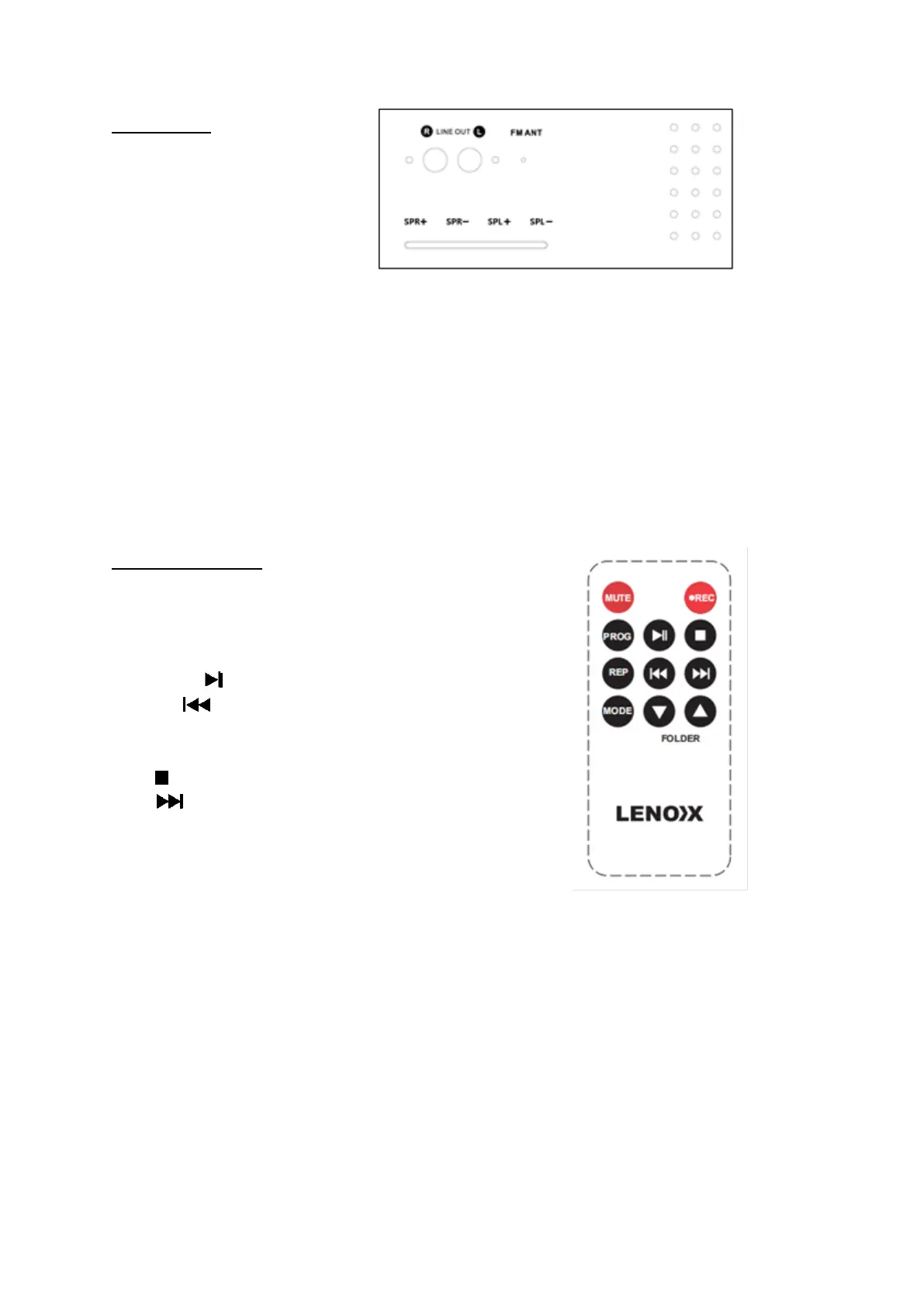
REAR PANEL:
RCA Line out jack (L&R)
FM wire antenna
External speakers’ clips.
RCA Jacks
• The RCA Jacks output analog line-level signals and could be connected directly with a
pair of active/powered speakers or the appropriate input of your stereo system.
• The Red plug connects with the Right channel and the White plug connects with the Left
channel.
Note: The RCA Jacks are not designed to be connected directly to the passive/unpowered
speakers. If connected to the passive speakers, the volume level will be very low.
Spring clip speaker terminals
The spring clip speaker terminals deliver amplified, speaker-level signals as output and
should be connected with the passive speakers
REMOTE CONTROL:
Mute button
Program button
Repeat button
Mode button
Play/Pause button
Previous button
Folder down button
Record button
Stop button
Next button
Folder up button
NOTE: The remote control works with the modes:
CD/ BT /USB /Card (SD/MMC) /FM / AM.
First-time use:
The unit has a pre-installed lithium CR2025 battery. Remove the protective tab to activate
the remote-control battery.
Replace the Remote-Control Battery
1. Pull out the battery tray and remove the old battery.
2. Place a new CR2025 battery into the battery tray with correct polarity (+/-) as indicated.
3. Insert the battery tray back into the slot.
Note: If the Remote Control is operated near other products which generate infrared rays, or
if other remote-control devices using infra-red rays are used near the unit, it may operate
incorrectly. Conversely, the other products may operate incorrectly.



 To Next Page