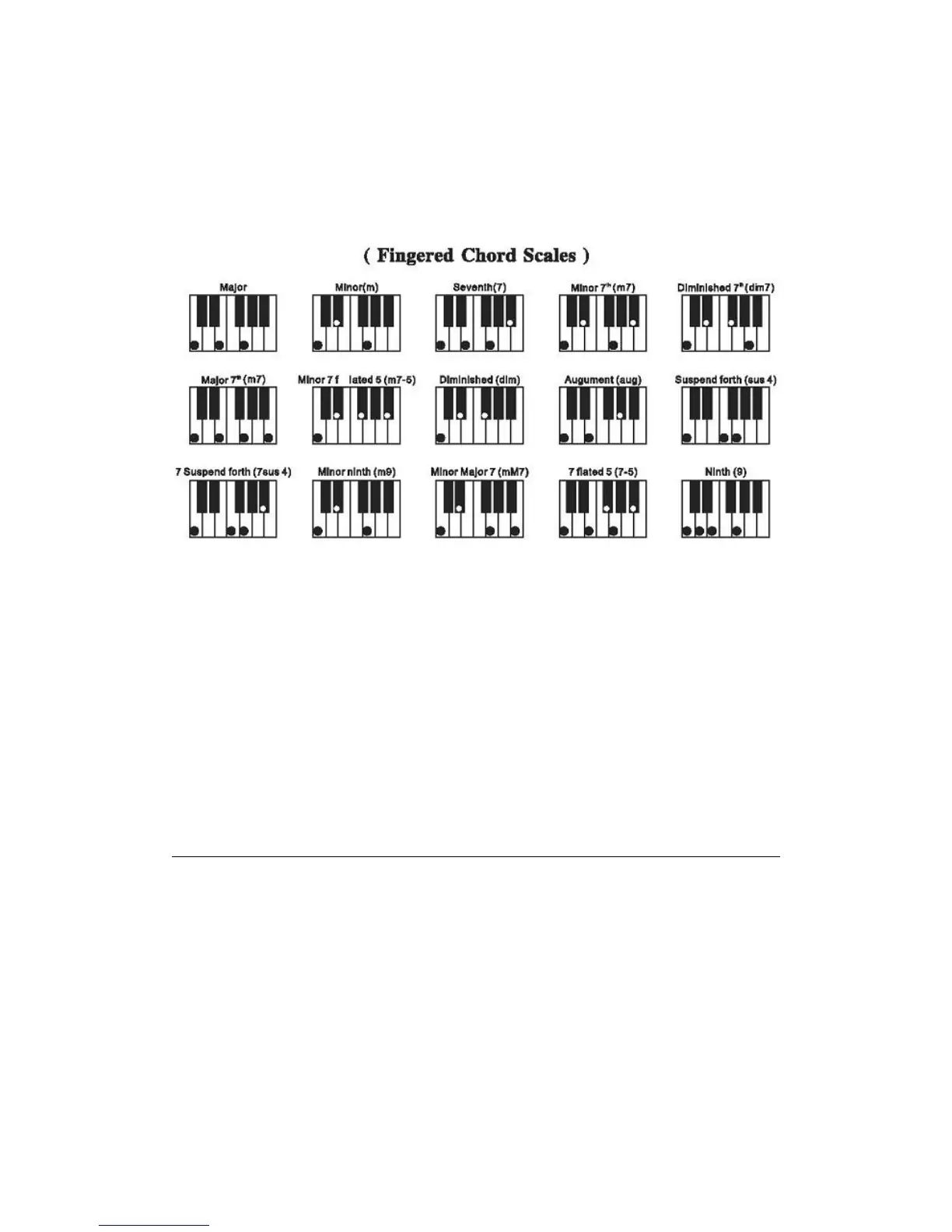
● Fingered Chord
When the rhythm playing, press the [Fingered] button with “FIN” appearing on the display, the
fingered chord can be performed on the chord keyboard with the fingered scales.
● Chord off
Press the [Chord off] button to stop the chord.
● Chord Timbre Selection
In the state of chord accompaniment, the timbre of chord can be changed by pressing the
[Chord Timbre] button, and the original timbre can be regained by pressing it again.
VI. Effect Control
● Sustain
Press the [Sustain] button with "SUS" appearing on the display, the sound of the
keystrokes takes on a sustain effect. Press the button again with "SUS"
disappearing, the function quits.
P6


 To Next Page