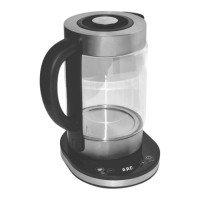
6) If the ON/OFF button is pressed while the water inside is as hot as the set
temperature, the base will beep 3 times and the indicator light next to the
ON/OFF button will also flash 3 times.
7) The temperature can be adjusted between 20°C – 100°C in 5-degree
increments.
8) Press the + and - buttons to adjust the temperature. The temperature will
be displayed on the screen.
9) You can also press and hold either the + or - buttons to adjust the
temperature. Take your finger off the button when your desired
temperature is shown on the screen.
10) When your desired temperature is shown on the screen, press the ON/OFF
button to begin heating the water.
11) While the water is heating, the screen display will show the temperature of
the water increasing as it heats up.
12) Once the glass kettle has reached your chosen temperature, the kettle will
stop boiling and the base will beep 3 times.
13) If you need to stop heating the water, press the ON/OFF button again.
KEEP WARM
14) This kettle features a keep warm mode. When the glass kettle is on the
base, use the + and - buttons to set your desired temperature.
15) When that temperature is shown on the screen, press the KEEP WARM
button once to put the kettle into keep warm mode.
16) The kettle will then heat the water to that temperature and when it senses
the temperature has dropped, it will heat the water back up to that
temperature.


 To Next Page
 Loading...