11
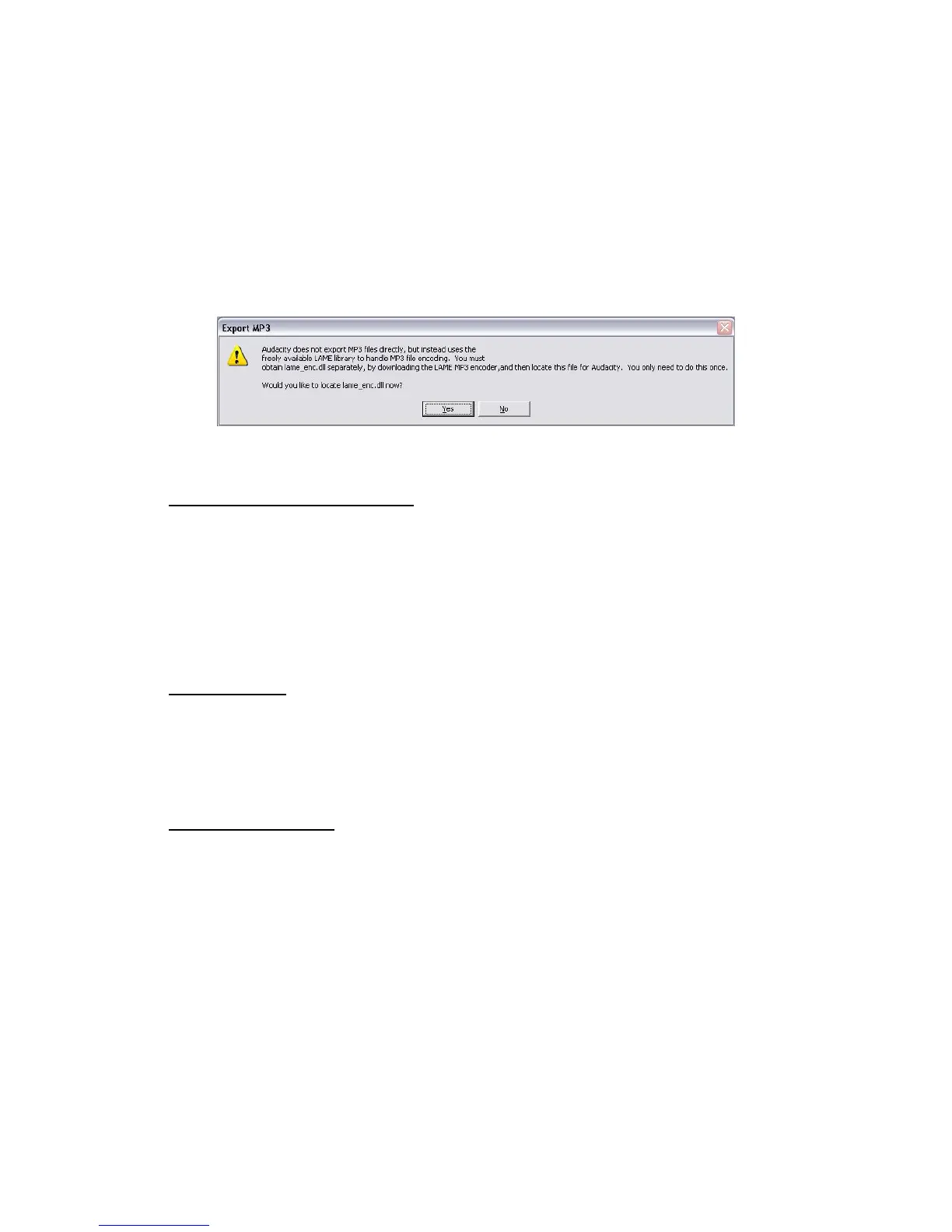
● NOTE: In order to activate the Export to Mp3 feature, it will be necessary to copy
a file named lame_enc.dll from the installation CD and paste it in the AUDACITY
folder that contains the software on the hard drive that was copied earlier from
the CD. The software will automatically detect this file and exporting as an mp3
will now be possible.
HOW TO REPLACE THE STYLUS
● Hold the tone arm with one hand to support it as you take either side of the stylus with
your thumb and forefinger of the other. Gently pull the stylus forward slightly then
move it downwards then pull clear.
● Fitting a new stylus is the reverse of removal
● NOTE: Never play records with a worn or damaged Stylus.
Do’s and don’ts
● Do not place unit on top of or near loudspeakers as acoustic feedback will occur.
● Do not play badly worn or chipped records.
● Ensure Stylus is clean and free of fluff and dust.
Care and Maintenance
● Clean the unit with a soft, damp lint free cloth, never use chemicals or harsh
abrasives.
● Use a good quality record cleaner to optimise results.


 To Next Page