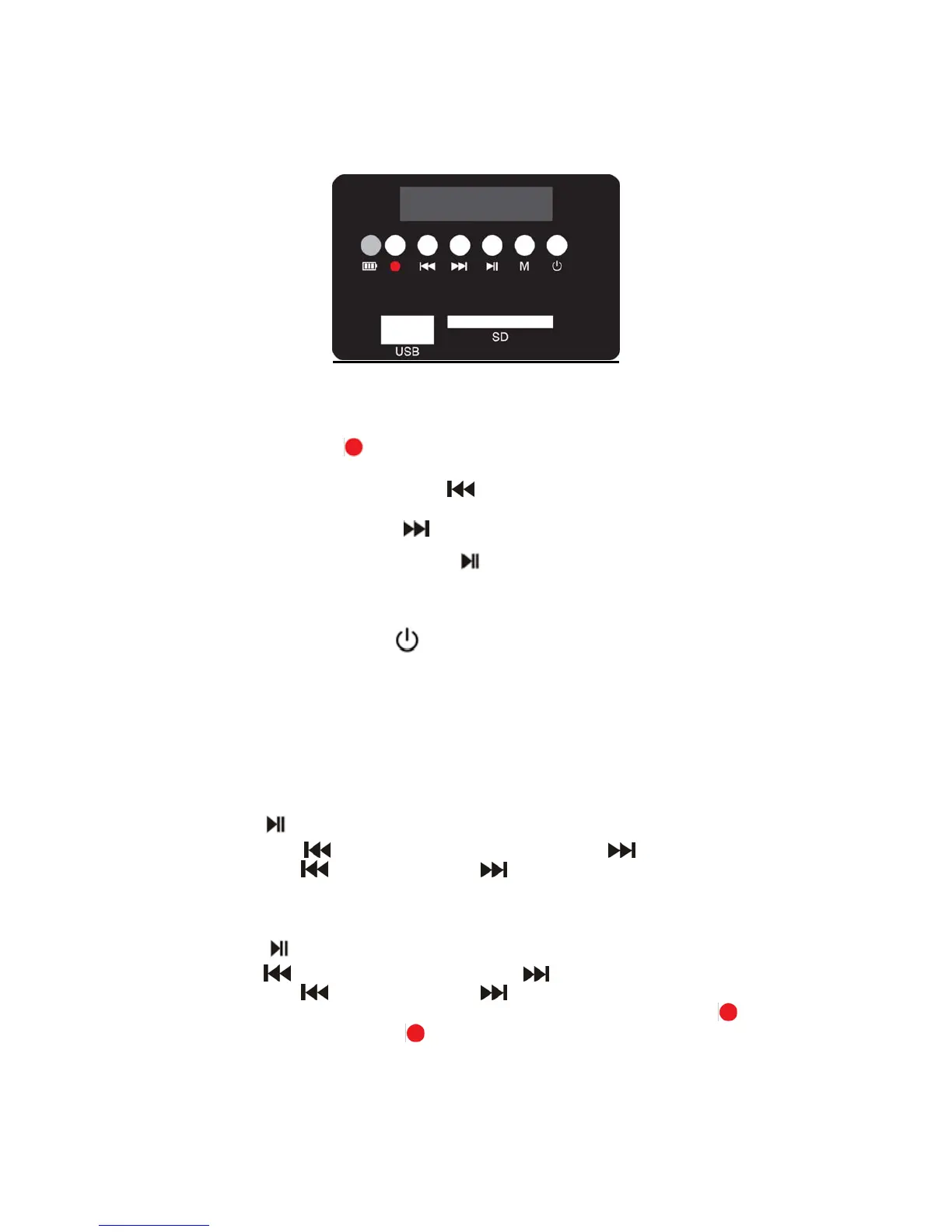
4
1. Charging LED (battery)
2. Recording button
3. Skip down/Volume down button
4. Skip up/Volume up button
5. Play/PAUSE/FM TUNING button
6. Mode button M
7. POWER OFF/ON button
To turn the unit on, press and hold the power on/off button.
To change modes, press the M button to switch between USB, SD, FM radio and
LP playback.
USB/SD Playback
When in USB/SD playback mode,
Press
to play/pause.
Short press
to play Previous song and short press to play Next song.
Long press
to Volume Down and to Volume Up.
FM Radio Playing
When in FM radio playback mode,
Press
to scan FM frequencies.
Press
to play the previous channel and to play the next channel.
Long press
to Volume Down and to Volume Up.
To record from the FM radio, insert a USB STICK/SD CARD then press
key to
begin recording and press
key again to stop recording.


 To Next Page