24 Information LR101
The delay time can be set in the range 0.01 (10ms) to 2.55 seconds (2550ms) in
steps of 0.01 seconds (10ms).
The permissible value range is 1 to 255. It is possible that no feedback will come
from this input if value 0 is set.
If you want a specific delay time and you want to know the value that has to be
entered, calculate as follows:
If you want to know which value corresponds to which delay time, calculate as
follows:
Ex-works, CV11 to CV18 are set to 50 which corresponds to a delay time of
50ms.
7.2.2 Programming in operational mode
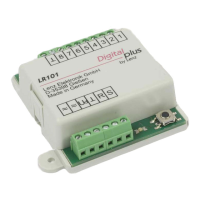
Use the push button and the small LED to its left.
Preferably, this method should be used if you have already installed the LR101 on
your layout and you want to change the address later. To this end, the LR101
need not be removed from the layout, but must be fed from the track output of the
digital system. The terminals of the track output of Digital plus devices are marked
J and K.
Figure 3 illustrates the connection of the LR101 to the terminals J and K of the
amplifier LV101. The terminals of the track output of Digital plus amplifiers
(LZV100/LZV200, LV100, LV101, LV102 and LV200) are marked J and K.


 To Next Page