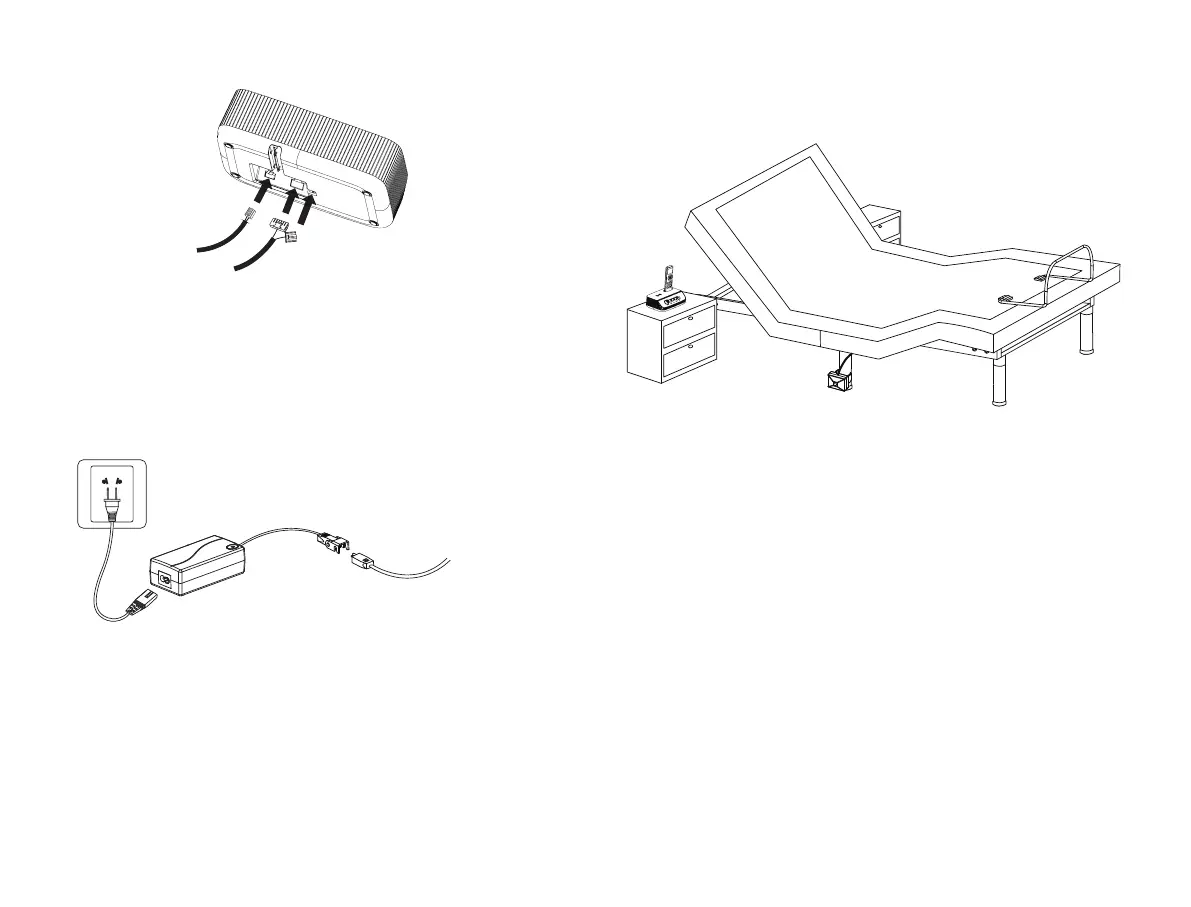
Audio System Cable 2
Audio System Cable 1
Audio System Cable 3
STEP 3: Plug the audio system cables into the audio controller.
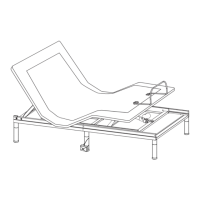
STEP 4: Uncoil the AC power cord of audio system, Connect the DC power
cord to the power supply, and then connect the power supply to the AC power
source.
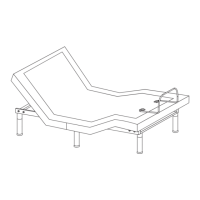
STEP 5: Put the audio controller on the bedstand, the remote control can be
placed in the storage box of the audio controller.
AC Power Source
AC Power Cord
of Audio System
Power Supply
of Audio System
DC Power Cord
of Audio System


 To Next Page