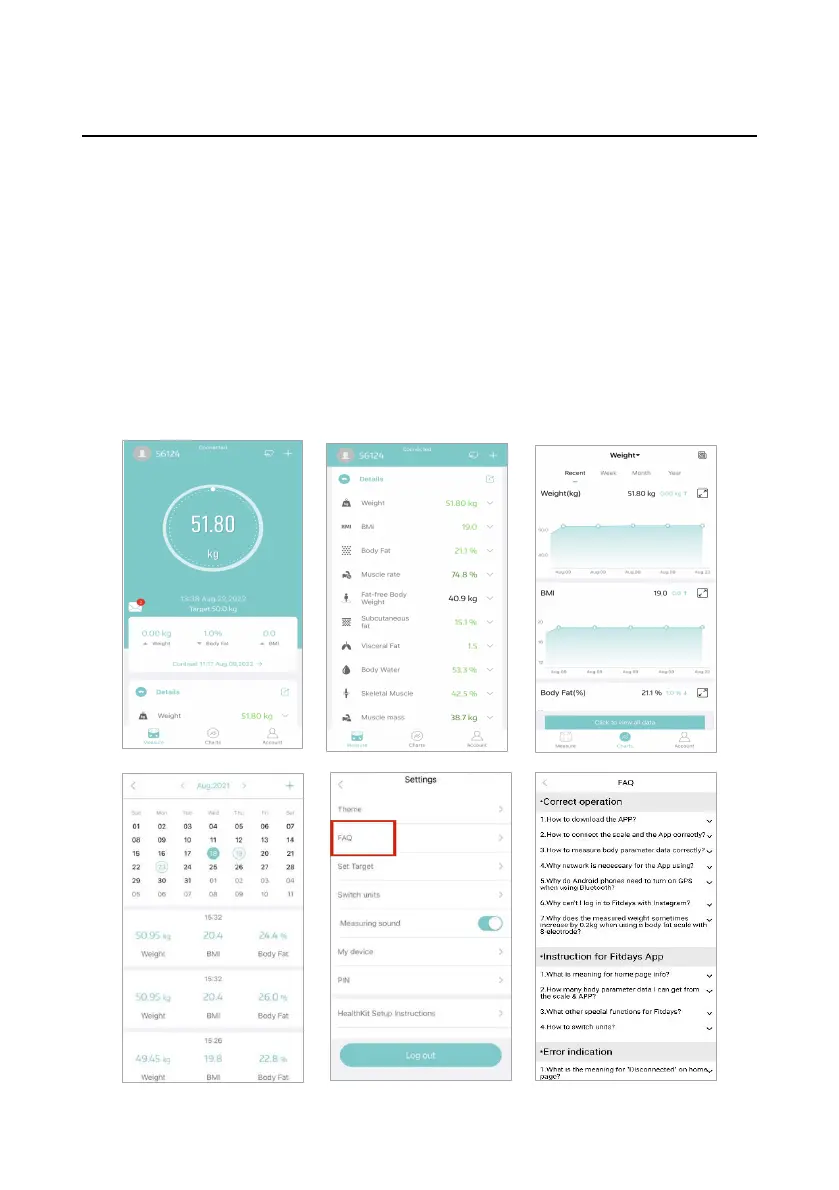
Date Viewing and Basic Settings
⚫ Enter [Measure] page, you can view the current measurement
results. Tap [Details], you can view multiple types of body data,
such as BMI, Body fat, Body water, etc.
⚫ Enter [Charts] page, you can view the historical data trend. Tap
[User data], you can view the specific measurement data by date.
⚫ Enter [Account] page and tap [Settings], you can set themes, target,
units, measuring sound, language, password, etc. Check the FAQ if
you have any usage questions.


 To Next Page