www.lerdge.com
21
Note:
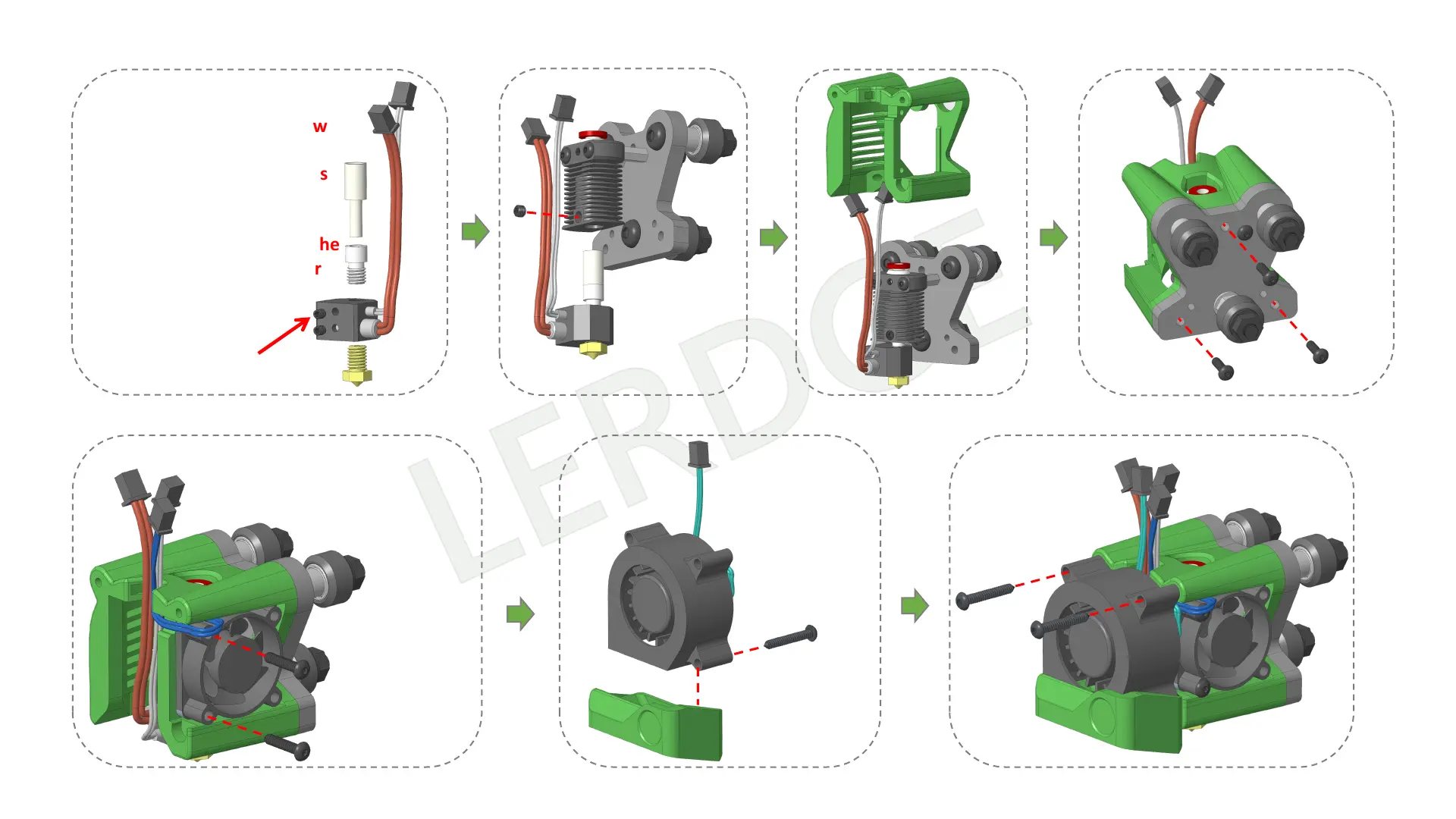
the installation direction of the fan,
and the fan should blow air to the
inside when it is working.
3.2- Assemble print head
Button head self
tapping screw
3 x M3*12
Button head self
tapping screw
2 x M3*16
Button head self
tapping screw
1 x M3*20
Button head self
tapping screw
2 x M3*20
Note:
Just lightly tighten the screw
that fixes the thermistor
sensor to ensure that it does
not slide out automatically.
Over-tightening the screw
may cause deformation of the
sensor shell, and the sensor
cannot be pulled out again.



 To Next Page