-9-
Q: I paired the headphones with my phone
before, but I failed to pair them to my
phone again.
A: 1) Turn on the Bluetooth of your phone and
in "MY DEVICES", choose "U8L" and tap
" " → "Forget This Device".
2) Turn off the headphones.
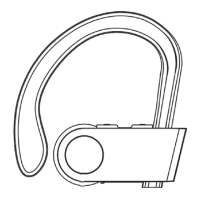
3) Reset the headphones by holding the
MFB button for 12 seconds.
4) Fully charge the headphones.
5) Pair the headphones with your phone
again following the instructions in the
previous part "Pair".
Q: I paired the headphones with my phone,
but there is no sound from the
headphones.
A: Make sure the headphones/phone are/is
not muted. Some phones ask for the setup
of the wireless headphones as an audio
output device before the sound is
transmitted. Please refer to the instructions
of your phone for details. If you use a music
player or other devices, please make sure it
supports A2DP stereo music profile.
E FAQs


 To Next Page