LED Indicator Guide
● Power on: LED indicator flashes blue for one
second
● Power off: LED indicator flashes red for 2
seconds
● Pairing mode: LED indicator flashes red and
blue alternately
● Paired: LED indicator flashes blue once
every 10 seconds
● Low battery: LED indicator flashes red twice
every 3 minutes
● Charging: LED indicator stays red during
charging and turns blue when headphones
are fully charged
Wearing the Headphones
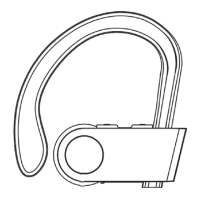
1) Identify the right and left earbuds.
2) Gently push the headphones into your ear
and adjust the ear hooks until you feel
comfortable with it. The eartips are in
different sizes. Please choose the right size
of eartips to find the most secure and
comfortable option for yourself (usually the
medium ones are suitable for 75% of
people).
-3-
C Get Comfortable



 To Next Page