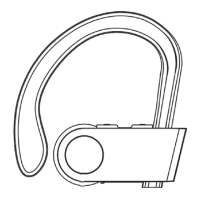
Volume up/down, next/previous song
● Press the "+" button to increase the volume;
press and hold the "+" button for 2 seconds to
skip to the next song.
● Press the "−" button to decrease the volume,
press and hold the "−" button for 2 seconds to
skip to the previous song.
Play/pause playing songs
Press the MFB button to pause and press the
MFB button again to resume playing songs.
Answer/hang up/reject calls
● Press the MFB button or operate on your
phone to answer an incoming call.
● Press the MFB button or operate on your
phone to hang up an ongoing call.
● Hold the MFB button for 2 seconds to reject
an incoming call.
Redial the last number
Hold the "+" and "−" buttons at the same time
for 2 seconds.
Activate voice assistant of phone
Press the MFB button twice, and you will hear a
"Du" sound to activate the voice assistant of
-7-



 To Next Page