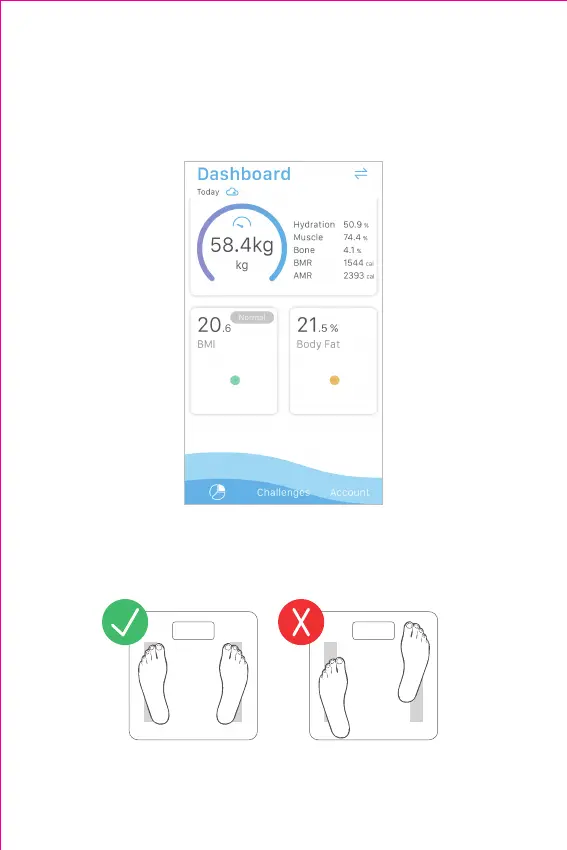
3) Remain standing evenly on the scale, without moving or shifting your feet or
body. The scale will then display and ash your nal results and data is synced to
your phone.
4) In the Dashboard page of the app, tap your weight to see your weight history
and a line chart; tap BMI to see your BMI history and a line chart; tap Body Fat to
see your body fat history and a line chart.
7
Notes:
• To make a proper measurement of body fat, please keep your bare feet
on the conductive areas of the scale. The scale platform should be
clean and dry.
• To review complete measurement data, open the app and check them
in detail interfaces.



 To Next Page