2
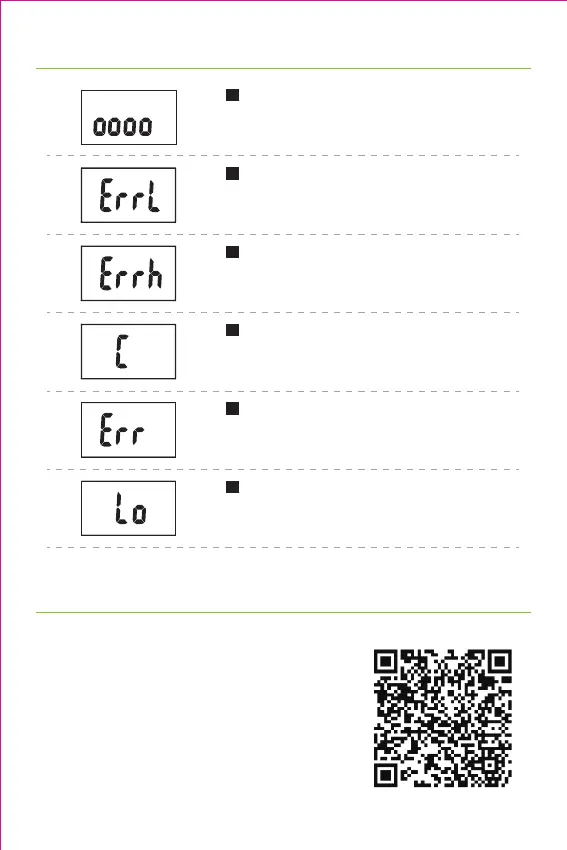
Warning Indicators
Fat Measuring
Fat measurement in process. Please don't
step off the scale.
Low Fat% Indication
Fat% too low. We recommend you lead a
more nutritional diet.
High Fat% Indication
Fat% too high. We recommend you adjust
your diet and exercise more.
Re-Test Indication
Error. Please re-test to get the correct
result.
Over-load Indication
Scale overloaded. Please step off the
scale to avoid damage.
Low Battery Indication
Low battery. Please replace with new
batteries.
1. Download "Moving life" App
To view more in-depth weight analyses,
download the free "Moving life" app from App
Store or Google Play. You can also scan the QR
code.
Compatibility:
• iOS 7.0 or above
• Android 4.3 or above
• Bluetooth 4.0 or above
How to Use
Moving life app QR code


 To Next Page