Power on / off
● Power on: Press and hold the MFB button for
1 second.
● Power off: Press and hold the MFB button for
3 seconds.
Pair
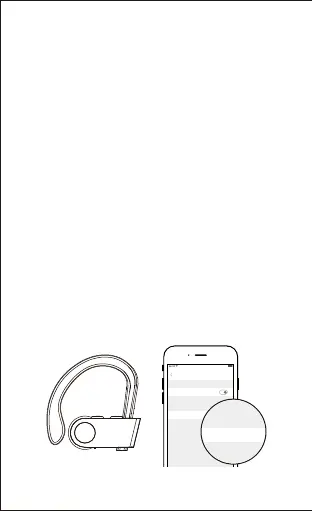
1) Turn on the Bluetooth of your Bluetooth devices.
2) Turn on the headphones and the headphones
enter pairing mode (indicator flashes red and
blue alternately).
3) In the list of found Bluetooth devices in your
Bluetooth device, choose "U8i" to pair.
-5-
Notes:
● Fully charge the headphones before using
them for the first time.
● The indicator is red during charge and turns
blue when the headphones are fully charged.
Settings Bluetooth
Bluetooth
U8i Connected
MY DEVICES
OTHER DEVICES
100%9:41 AM


 To Next Page