18
FUNCTION 4: DAY OF PLAY
(dP)
ALTITUDE INPUT
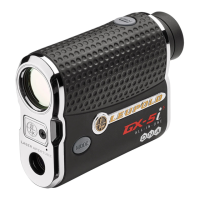
(GX-4
i
3
WITH SMART KEY INSTALLED ONLY)
Altitude is one of the factors used to determine
TGR ranges; inputting the local elevation/altitude will
increase the accuracy of your TGR measurement. The
default altitude setting is 1000 feet, and will be shown in
the lower portion of the display.
NOTE: Altitude is always measured in feet.
MANUALLY INPUT THE DAY OF PLAY ALTITUDE:
1) Press POWER to activate the rangefinder.
2) Press and hold MODE for at least 1 second and release to enter the
Quick Set Menu.
3) Verify that TGR is turned on; if TGR is not activated, you will not be
able to enter the current altitude, see “To Activate TGR:” above.
4) Press and release MODE until “Alt” is displayed.


 To Next Page
 Loading...