EasyManua.ls Logo

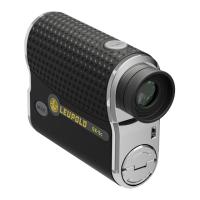
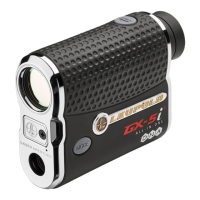
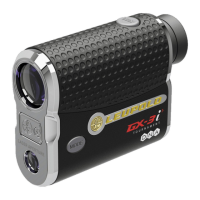
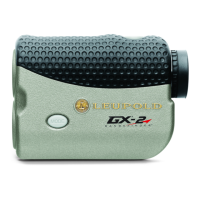
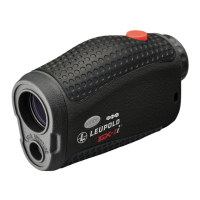
Leupold GX-1i3 - User Manual

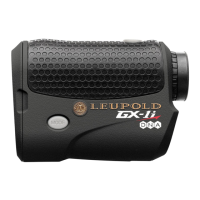
Leupold GX-1i3
36 pages
Print Icon
To Next Page IconTo Next Page
Loading...
GX
®
-1i
3
AND GX-2i
3
RANGEFINDERS
OPERATING INSTRUCTIONS

Questions and Answers

  • T
    tiffanydiazJul 27, 2025
    How to reset Leupold GX-1i3 to factory settings?
    • O
      Olivia RoyJul 27, 2025
      To reset your Leupold Measuring Instruments unit to its factory settings, press and hold the POWER and MODE buttons simultaneously for at least 10 seconds.
  • B
    blairrebeccaAug 5, 2025
    Can I use TGR without manually inputting distances for an 8, 6, or 4-iron on Leupold Measuring Instruments?
    • A
      Alec ColonAug 5, 2025
      Yes, TGR on Leupold Measuring Instruments can be used without entering specific Club Selector values. It will default to settings suitable for the average player. However, inputting your personal values can enhance accuracy by up to one club length.
  • M
    Marvin LeeAug 17, 2025
    How to activate the inclinometer on Leupold GX-1i3?
    • W
      Wendy FlynnAug 17, 2025
      To activate the inclinometer on the Leupold Measuring Instruments (GX-2i3 model only), TGR must be activated. Once TGR is active, the inclinometer will activate automatically.

Summary

Introduction to Leupold GX Rangefinders

About Leupold & Stevens, Inc.

Leupold GX Rangefinder Accuracy

How Leupold GX Rangefinders Work

Safety and Operation Precautions

Laser Safety and Eye Exposure

Precautions to prevent hazardous laser radiation exposure to eyes.

Product Handling and Child Safety

Warnings concerning children's access and product tampering.

Approved Power Source Usage

Emphasizes using only the specified CR-2 battery for safe operation.

Leupold GX Rangefinder Specifications

Operating the Leupold GX Rangefinder

GX-1 i3 & GX-2 i3 Device Overview

Identifies POWER/MODE buttons and explains eyepiece focusing.

Quick Set Menu Navigation

Guide to accessing and operating the Quick Set Menu for device settings.

Fog Mode Functionality

Details how to use Fog Mode for accurate ranging in adverse weather.

True Golf Range (TGR) Feature

Information on TGR, adjusting range for elevation and slope.

Temperature and Altitude Input for TGR

How to input current temperature and altitude to improve TGR accuracy.

TGR Setup and Club Selector

Setting up TGR and using the Club Selector for iron recommendations.

Selectable Aiming Reticles

Guide to selecting one of the seven available aiming reticles.

Prism Lock Feature Operation

Details the Prism Lock feature for identifying prisms in Scan Mode.

Leupold GX Rangefinder Troubleshooting

Cleaning and Maintenance Guide

Leupold GX Rangefinder Warranty and Repair

Leupold GX-1i3 Specifications

General IconGeneral
TypeGolf Rangefinder
Magnification6x
Objective Lens Diameter22 mm
Maximum Range (to flag)400 yards
Battery TypeCR2 Lithium
WaterproofYes
FogproofYes
DisplayLCD
Scan ModeYes
PinSeeker TechnologyYes
Prism Lock TechnologyYes
Measurement UnitsYards/Meters
Accuracy0.5 yard

Related product manuals