Network Camera User’s Manual
20/56
Primary user’s capability
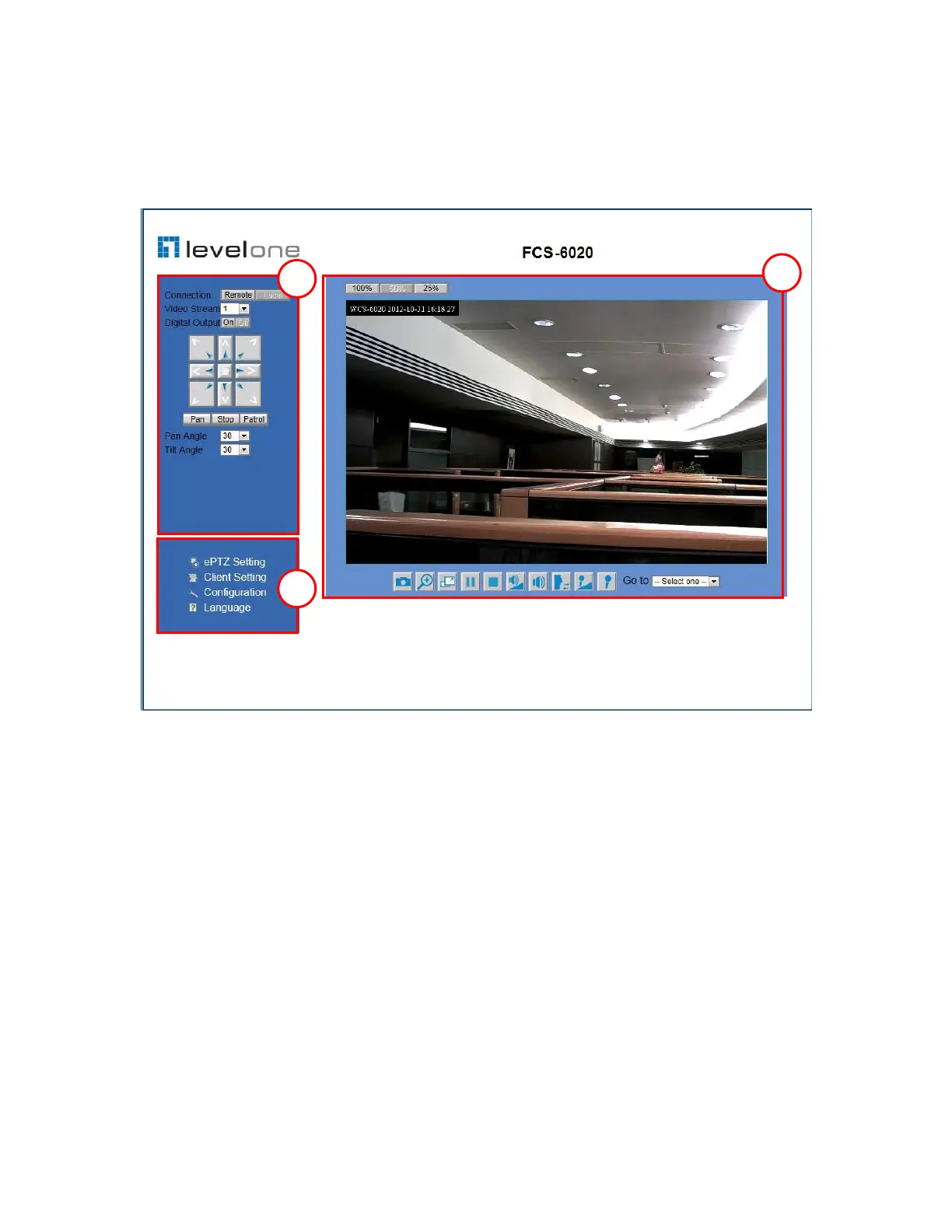
Main Screen with Camera View
The main page has three parts:
1. Configuration functions: The camera can be configured using these user
interfaces.
2. Pan/Tilt & connection control buttons: These buttons provide the direction
to control the pan and tile of camera.
3. Camera View: What the camera sees.
Configuration functions:
ePTZ Settings: Electronic pan/tilt/zoom capabilities that enable users to move to
a target region instantly for close-up shots by simply clicking on the video feeds
on their screen rather than moving the camera physically.
Client Settings: Clicking on this button links you to the client setting page.
Configuration: Please note that only the administrator can access it.
Language: Click this button to choose a language for the user interface.
Note: ePTZ function is only available under image size of 1280x800



 To Next Page