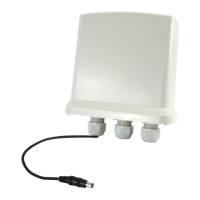
This document describes a Fast Ethernet Media Converter, a device designed to bridge 10/100Mbps Fast Ethernet networks. It facilitates the connection between a 10/100 Base-TX segment and a 100Base-FX segment, making it suitable for larger workgroups that require expanded speed and bandwidth within their Fast Ethernet network.
Function Description
The primary function of this media converter is to enable communication between different types of Ethernet cabling: twisted pair (10/100 Base-TX) and fiber optic (100Base-FX). It effectively extends the reach of a Fast Ethernet network by converting electrical signals from copper cables into optical signals for fiber optic cables, and vice versa. This allows for longer transmission distances and integration of fiber optic infrastructure into existing copper-based networks. The device supports both multi-mode and single-mode fiber optic cables, offering various distance capabilities depending on the fiber type.
Usage Features
The converter is designed for straightforward integration and operation. It complies with IEEE 802.3u 10/100 Base-TX and 100 Base-FX standards, ensuring compatibility with a wide range of network equipment. It features one SC fiber connector and one UTP (RJ45) connector, providing the necessary interfaces for both fiber and copper connections.
Key usage features include:
- Auto-detection of half/full duplex transfer mode for the TX port: This allows the converter to automatically adjust to the duplex settings of the connected twisted pair device, optimizing data flow.
- Auto-negotiation of 10/100Mbps rate and Auto-Crossover for the TX port: The device can automatically detect and configure the speed (10Mbps or 100Mbps) and cable type (straight-through or crossover) for the twisted pair connection, simplifying setup.
- Switch configuration of half/full duplex transfer mode for the FX port: While the TX port is auto-negotiating, the FX port offers a configurable option for half or full duplex mode, providing flexibility for different fiber network setups.
- Extended fiber distance: The converter significantly extends network reach. For multi-mode fiber, it can extend distances up to 2KM. For single-mode fiber, it supports distances ranging from 20KM to 120KM, catering to diverse network topologies and requirements.
- Simple installation procedure: Connecting the converter involves three main steps:
- Connecting the converter to a 10/100 Base-TX device (hub or switch) using a category-5 twisted pair cable, ensuring the cable length does not exceed 100 meters. One end connects to the RJ45 jack on the converter, and the other to the RJ45 jack on the 10/100 Base-TX device.
- Connecting the converter to another converter or a 100Base-FX device using a fiber cable. One end of the fiber cable connects to the SC connector on the converter, and the other end connects to the SC connector on the other converter or 100Base-FX device.
- Turning on the power.
- WDM Converter compatibility: For specific WDM (Wavelength Division Multiplexing) models, there's a crucial note regarding partnership. WDM Converter A transmits at 1550nm and receives at 1310nm on a single-mode fiber, while WDM Converter B inversely transmits at 1310nm and receives at 1550nm on a single-mode fiber. Therefore, WDM Converter A and WDM Converter B must be used together as a pair for proper functionality.
Maintenance Features
The device incorporates features that aid in monitoring and troubleshooting network activity:
- LED indicators: The converter is equipped with several LED indicators that provide real-time status reports, allowing users to quickly assess the network's operational state. These indicators include:
- FX 100 (Green): Lit when operating in 100 Base-FX mode.
- FX Link/ACT (Green): Lit when the fiber cable connection to the remote device is good. It blinks when there is any FX traffic, indicating data transmission.
- Power (Green): Lit when +5V power is supplied to the device.
- FDX/Col (Green): Lit when Full Duplex Mode is enabled. It blinks when a collision occurs, which is typically not expected in full duplex but can indicate an issue.
- TX 100 (Green): Lit when operating in 100Base-TX mode.
- TX Link/ACT (Green): Lit when the TP cable connection to the remote device is good. It blinks when there is any TX traffic, indicating data transmission on the twisted pair segment.
- Easy-to-view LED indicators: The placement and design of the LEDs make it easy for users to quickly check the status of the network and identify potential issues, contributing to simplified network monitoring.
In summary, this Fast Ethernet Media Converter is a robust and user-friendly device designed to extend and integrate Fast Ethernet networks using both copper and fiber optic cabling, with features that simplify installation, operation, and basic troubleshooting.

 Need help?
 General

 To Next Page