For 4-in-1 LCD Drawer (KVM-8901+ KCM-0832/KCM-1632)
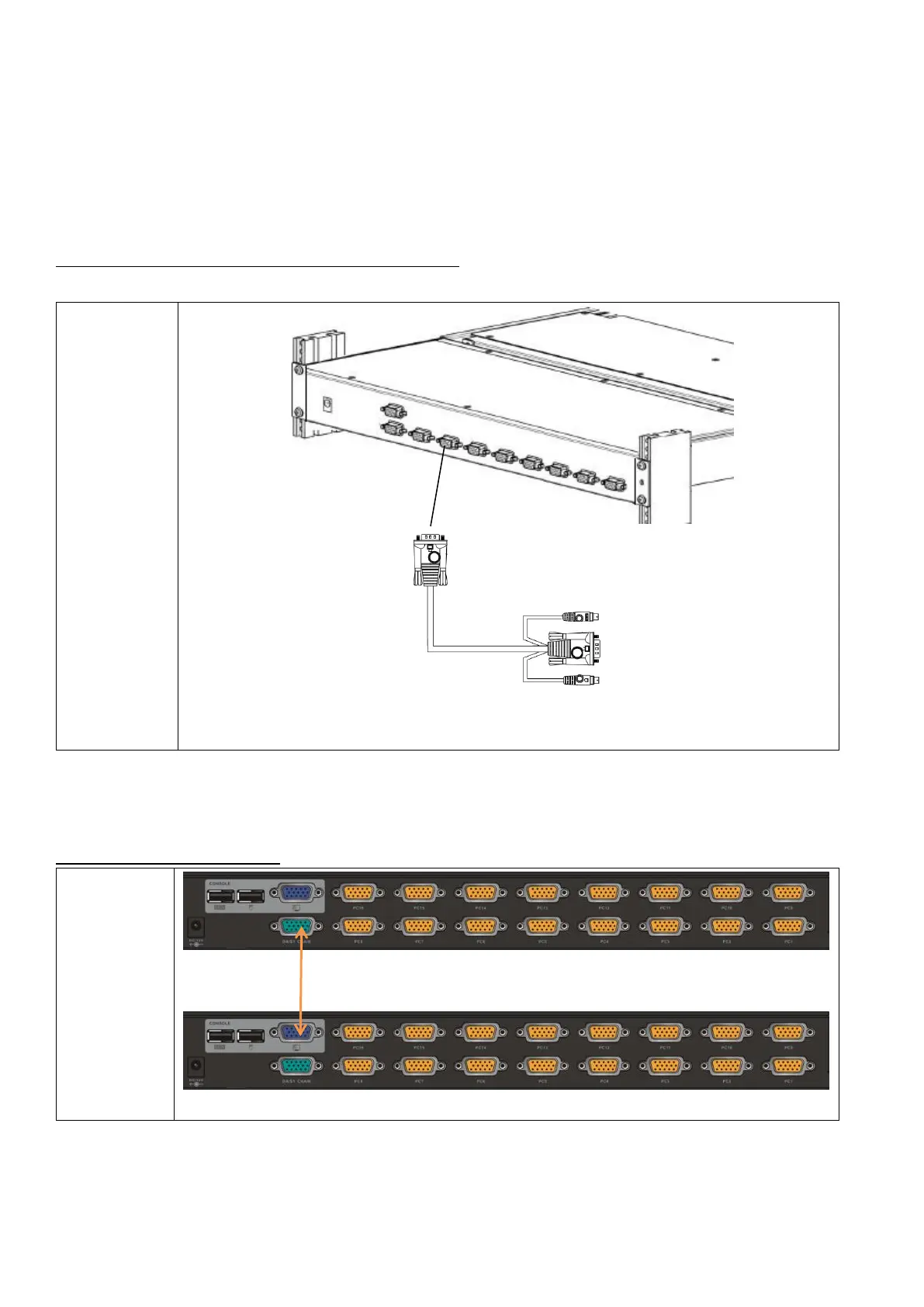
⚫ Plug the DC-power adapter to the drawer.
⚫ Plug HDB-15 end of the KVM cable to a selected switch channel and plug the other end of the cable
(with mouse/keyboard/video) to PC’s ports.
FIG.3 Connection between 4-in-1 drawer and PC
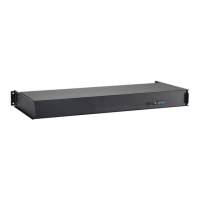
FIG.4 Cascade Connection
KCM-1632
External
16-port KVM
Cascade additional KVM-Switch: plug HDB-15 end of the cable to the “cascade port” and the other end to
the second KVM’s user console.



 To Next Page