2. Installation
3
2. Installation
Driver installation
On Windows
Operating Systems
Caution: DO NOT connect the Ethernet Adapter to your computer before you
install the provided driver.
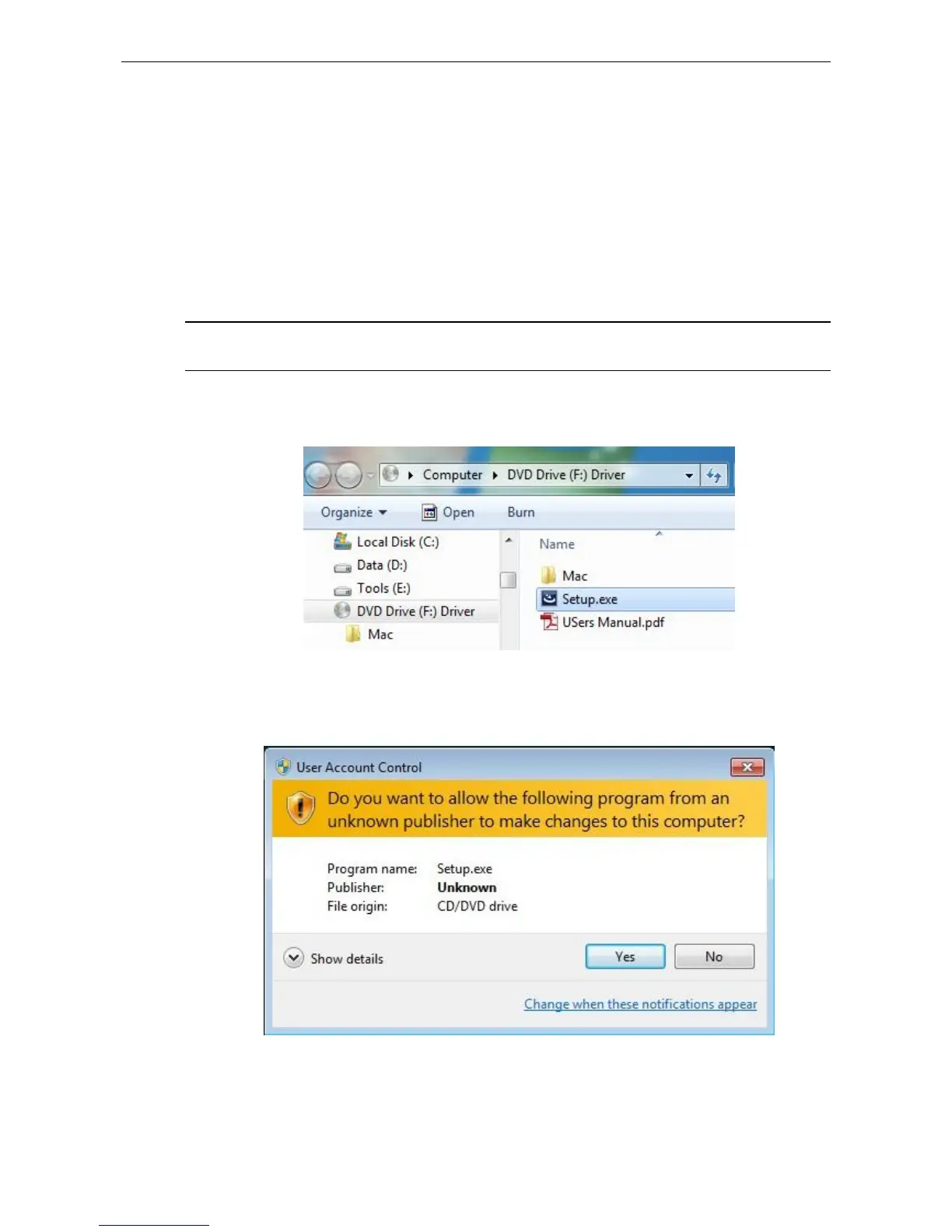
1. Insert the provided Driver CD into your disc drive. Please locate and
double-click the setup.exe file under x:\Driver\ where x is your disc drive letter.
Notice :
It will encounter a User Account Control dialog box when attempting to install
a program, please click Yes to start the installation.














 To Next Page