2. Installation
5
On Mac OSX
1. Insert the provided driver CD into your CD-ROM drive. Double-click the CD
and navigate to the directory of \Driver\Mac\
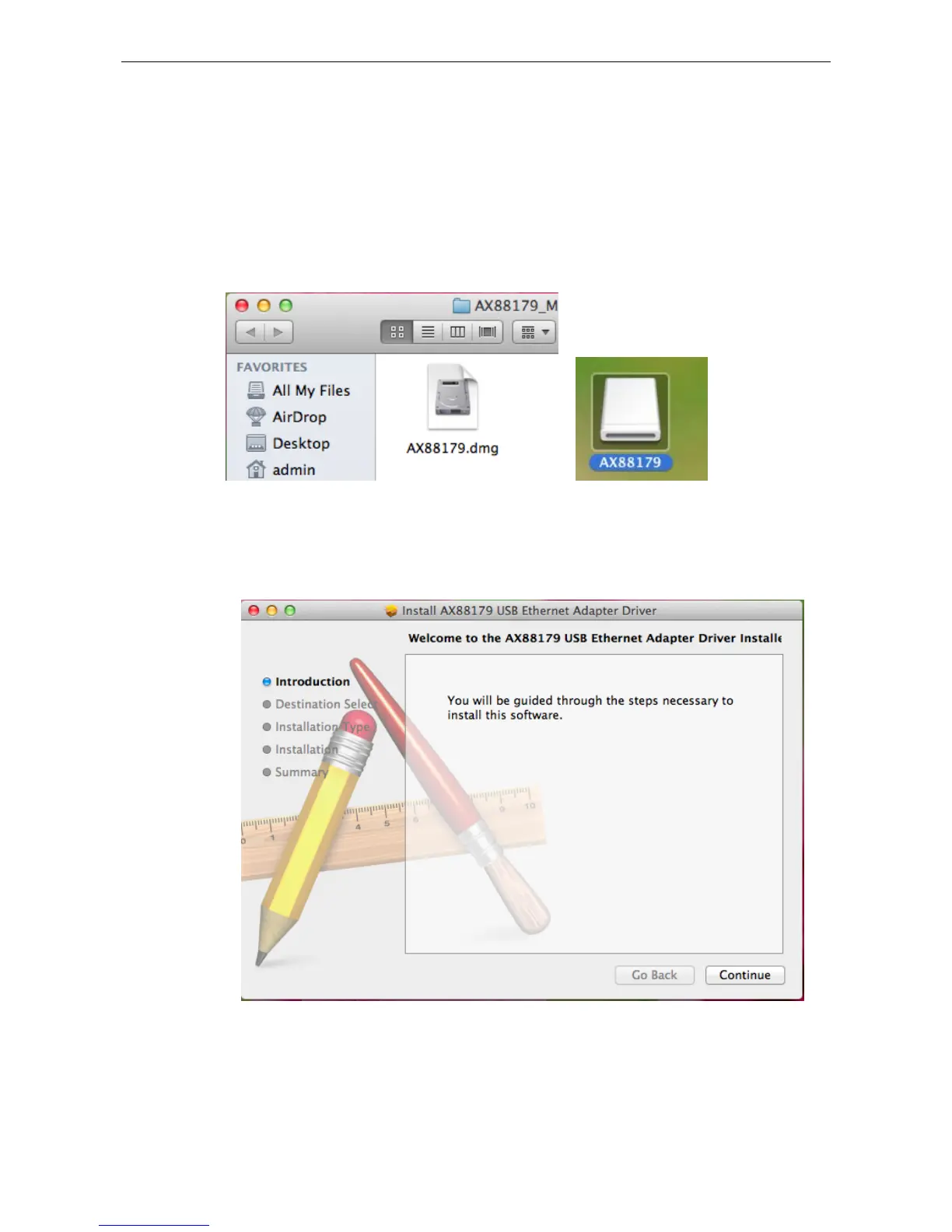
2. Click the AX88179.dmg, the AX88179 virtual disk will be appeared on the
Desktop of your Mac OSX system. (This “DISK IMAGE” virtual disk will be
auto-removed after rebooting Mac OSX system.)
3. Click the AX88179.pkg, the following driver setup dialog will appear. Click the
Continue button to start the installation operation and follow the instructions to
continue the installation.















 To Next Page