-2-
Interface Description
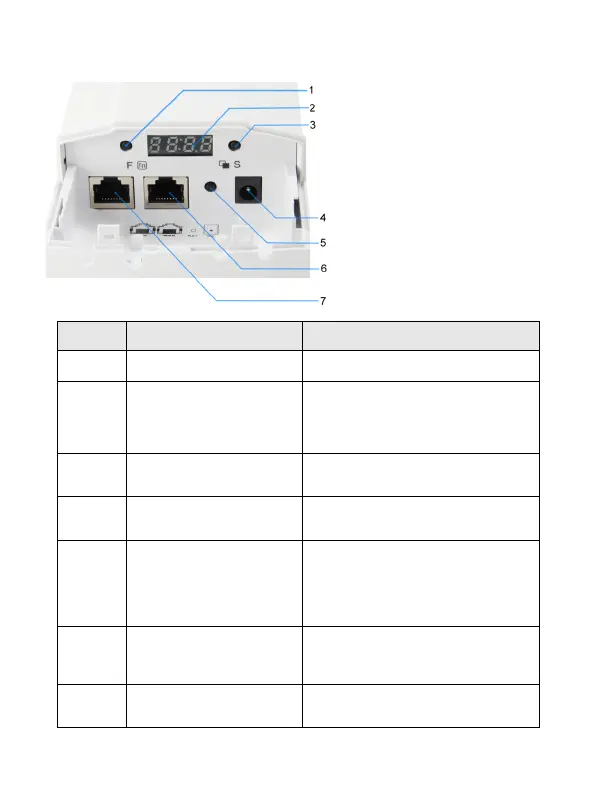
LED display
Function
Button
show AP/Client operation mode,
Channels, IP address and RF
Power .(If not operate this LED
display in 10 mins, the screen will be
automatically black screen)
LED display Selection
Button
Can select the Increase or decrease
value ; View Channels, IP address
and Signal strength status.
12V/1A DC input injector (Power
adapter unit is to be ordered
separately)
With the AP powered on, press the
Reset button for 10 seconds until
the Signal Strength LED blink faster
than ever. The AP will restart itself
and reset the device to factory
default settings.
WAN/P
OE port
(10/100Mbps RJ45 port)
The WAN/POE port is used to
connect to network devices, such as
a switch OR POE adapter to power
the device
LAN port
(10/100Mbps RJ45 port)
The LAN port is used to connect to
network devices, such as a switch or PC
/ NB















 To Next Page