
 Need help?
Do you have a question about the LevelOne WAP-1001 and is the answer not in the manual?
Explains 802.11b/g standards, OFDM technology, and security features like WEP, WPA.
Describes wireless network types like ad-hoc and infrastructure.
Discusses mobile user movement and AP positioning for seamless connectivity.
Details compatibility and connecting to wired networks.
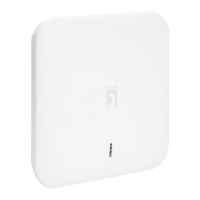
Visual representation of the access point.
Step-by-step guide for installing the mounting bracket.
Guide on connecting the PoE injector for power and network.
Alerts users about risks of placing the PoE injector on the ground.
Explains using the Locator tool for device discovery and configuration.
Guides on accessing and configuring the AP through a web browser.
Details system information, current IP, and wireless settings.
Shows connected devices, MAC addresses, and signal strength.
How to set device name and choose operation mode like AP, Client, Repeater, Bridge.
Configuration for establishing wireless links between APs.
How to change the administrator username and password.
Configuring DHCP, static IP, subnet mask, and default gateway.
Setting up SSID, wireless standards (11b/g/SuperG), and channel selection.
Options for controlling client communication and automatic channel selection.
Setting up WPA-PSK with passphrase, TKIP/AES encryption, and key renewal.
Configuring RADIUS server IP, port, secret, and cipher type for WPA.
Adjusting data rates, RF output power, and beacon transmission frequency.
Configuring preamble, protection mode, and link distance settings.
Enabling SNMP, setting contact, and defining read-only/read-write community strings.
Setting up rules to allow or deny specific MAC addresses and managing the filter list.
Options for backing up, restoring configurations, and resetting the device to factory defaults.
Procedure for upgrading the device’s firmware using a file.
Instructions on how to reboot the device using the 'Reboot' button.
Configuring point-to-point or point-to-multi-point wireless bridge connections by entering MAC addresses.
Advice on loop prevention, performance, and latency for WDS setups.
Supported security protocols for WDS links: No Security, WEP, WPA-PSK.
Configuring the AP to act as a wireless client to connect to another AP.
Explains fields like Network Type, SSID, BSSID, Signal Strength, and Data Rates.
How to select an SSID to connect to and use the site survey tool.
Setting up WPA-PSK with passphrase and cipher type for client connections.
Displays IP and MAC addresses of Ethernet devices connected via the AP.
Configuring the AP to extend wireless network range by repeating signals.
Shows connection status, SSID, signal strength, and data rates for repeater mode.
Lists standard support, interface, SDRAM, flash, bandwidth, and wireless settings.
Details software features, firmware management, site survey, DHCP client, MAC control, and forwarding modes.
Lists applied standards and declaration availability for EU countries.
 General
| Modulation | DQPSK |
|---|---|
| Frequency band | 2.412 - 2.472 GHz |
| Channels quantity | 13 channels |
| Receiver sensitivity | -88dBm@11Mbps, PER\u003C8% -74dBm@54Mbps, PER\u003C10% |
| Maximum data transfer rate | 54 Mbit/s |
| Compatibility | MS IE, Netscape |
| Networking features | Ethernet, Fast Ethernet |
| Wireless technology | Wi-Fi |
| Transmit power range | 802.11b: 18dBm; 802.11g: 14dBm dBmW |
| Compliance industry standards | IEEE802.11b/g, IEEE802.3, IEEE802.3u, IEEE802.3x |
| Supported data transfer rates | 10/100 Mbps |
| Non-operating relative humidity (non-condensing) | 10 - 90 % |
| Antenna gain level (max) | 12 dBi |
| DHCP client | Yes |
| Ethernet LAN (RJ-45) ports | 1 |
| Security algorithms | WPA, WPA-PSK |
| Storage temperature (T-T) | -25 - 70 °C |
| Certification | FCC, CE |
| Input current | 0.3 A |
| AC input voltage | 48 V |
| Power requirements | 100-240V, 50-60Hz, 0.25A |
 Weight and Dimensions
| Dimensions (WxDxH) | 320 x 310 x 48 mm |
|---|













 To Next Page