-2-
Packing List
Wireless LAN Controller
Power Plug
CAT 5 Ethernet Cable
Quick Start Guide
If any of the above items are missing, please contact your retailer or distributor.
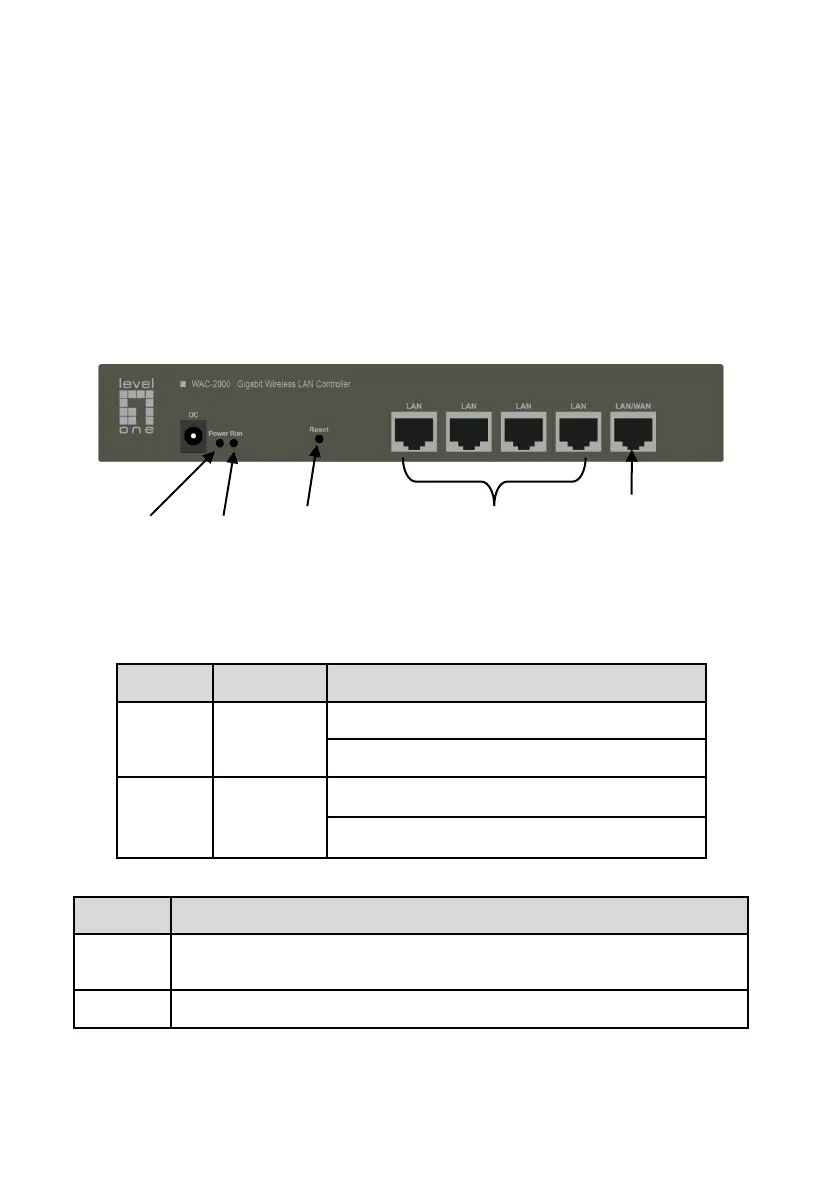
Figure 1
Front Panel - WAC-2000
Note: The picture is only for reference; please make the object as the standard.
Off The Device is not powered
Blink operating properly.
On without blink or off operating not properly.
The LAN ports connect computers and other Ethernet network devices to the
LAN.
The WAN port connects the device to the Internet.
Notice:
LAN/WAN port is WAN port only on the default mode, only when WAN setting is disabled then
LAN/WAN port will change to LAN port;



 To Next Page