LED indicators
LED color Description
Blue
3G/3.5G is on
USB LED
Blue
in flash
Data access
Blue
WLAN is ON
Blue
in flash
Data access
Wi-Fi LED
Blue in fast flash Device is in WPS Mode
Installation Steps
DO NOT
switch on 3G Portable Router before performing the installation steps below.
Step 1.
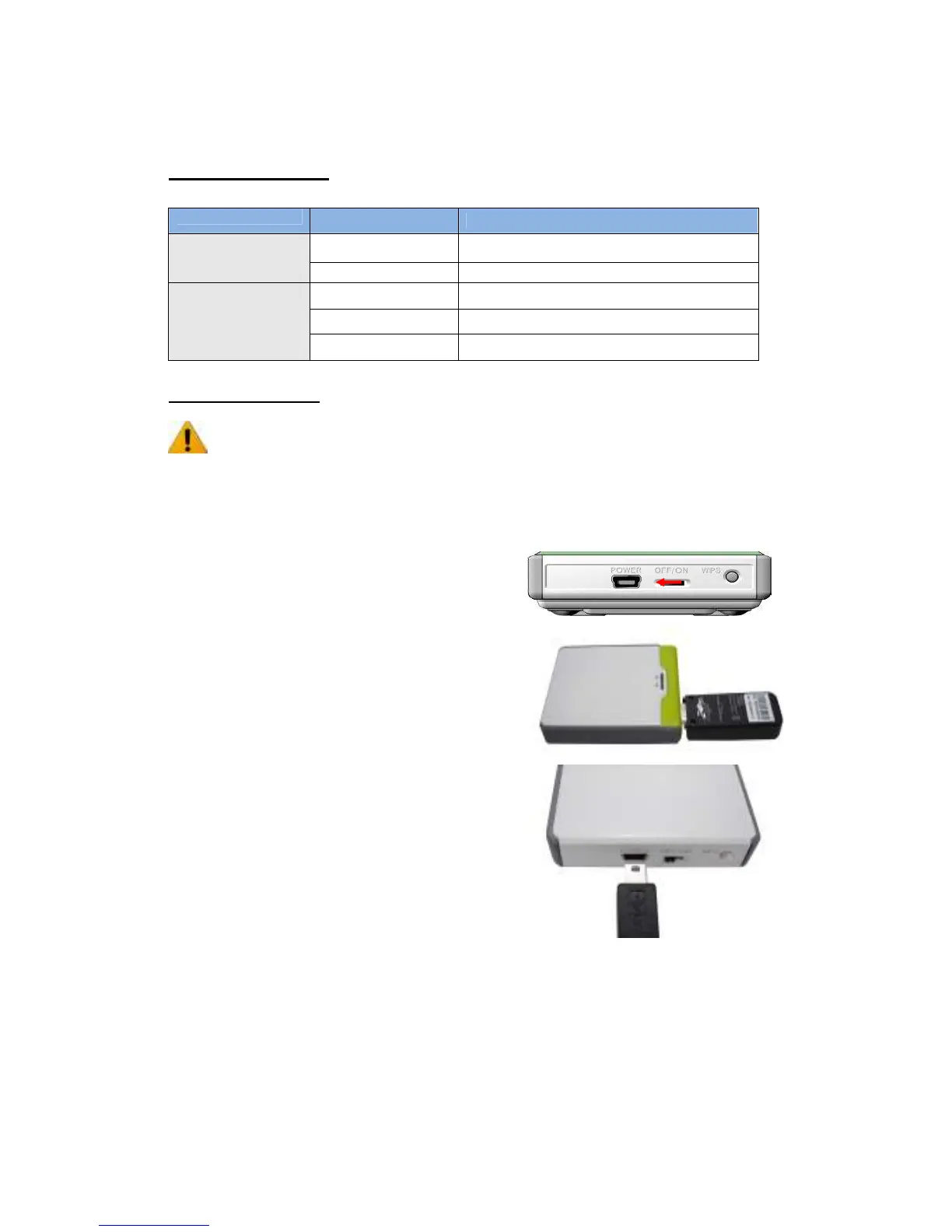
Turn off the power switch and then plug USB 3G
Modem to the Router.
Note: 150Mbps N Wireless 3G Portable Router is
designed to work with either UMTS or EV-DO and
even HSUPA 3G modem. Please refer to your service
provider for detailed feature information.
Step 2.
Plug your USB modem which is with activated USB
dongle.
Step 3.
You can choose either Power Adapter or USB Cable
for power supply.
3.1. Use Power Adapter
Connect with the power adapter to the receptor
on the back panel of it.
3.2. Use USB cable
Connect USB Cable to the same place of it.














 To Next Page