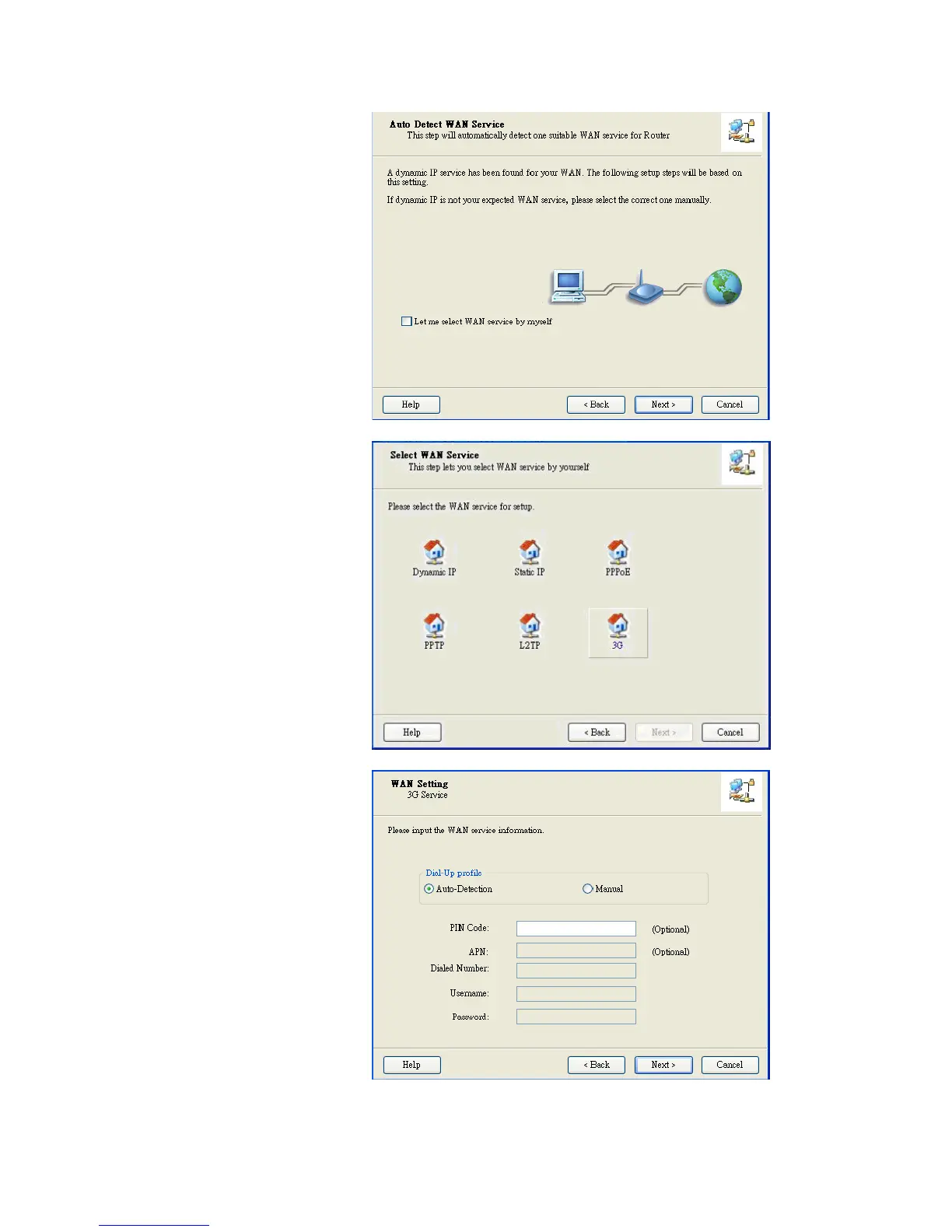
Click” Let me select WAN
service by myself” to select
WAN service manually.
Select 3G Service by clicking
3G icon to continue.
Select “Auto-Detection” and
the Utility will try to detect and
configure the required 3G
service settings automatically.
Click “Next” to continue.














 To Next Page