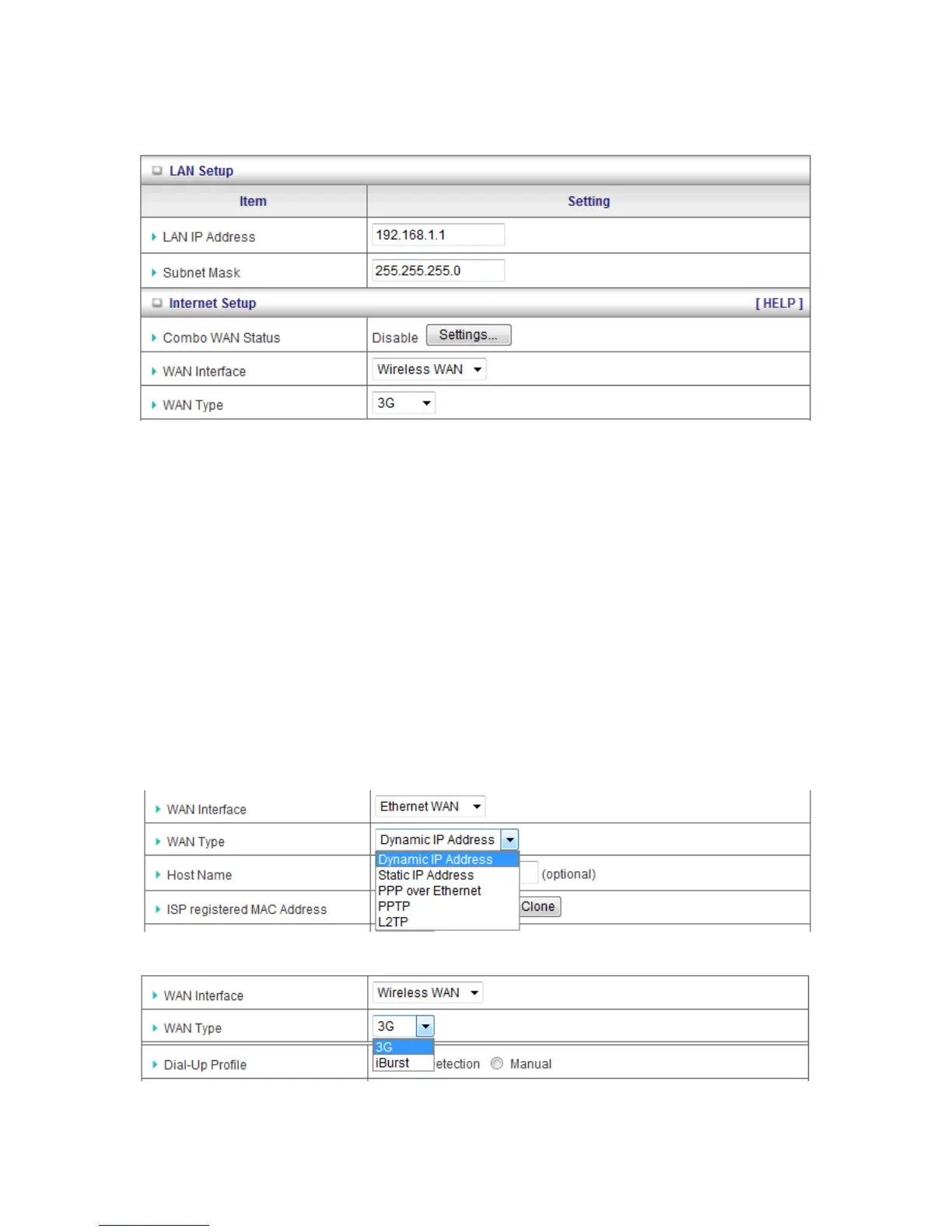
3.1.1. Network Setup
1. LAN IP Address: The local IP address of this device. The computers on your network
must use the LAN IP address of this device as their Default Gateway. You can change it
if necessary.
2. Subnet Mask: Input your Subnet mask. (All devices in the network must have the same
subnet mask.) The default subnet mask is 255.255.255.0.
3. Combo WAN Status: Display status of combo WAN. With Combo WAN feature, you
can choose one primary WAN connection, and set another WAN connection for backup.
The combo WAN status will be showed here. Press “Settings” button to configure this
feature.
4. WAN Interface: Select Ethernet WAN or Wireless WAN to continue.
5. WAN Type: WAN type of your Internet connection. You can choose a correct one from
the following options.














 To Next Page