10. Maximum Transmission Unit (MTU): You can change MTU value if required. The default
MTU value is set to 0 (auto).
11. NAT disable: You can disable NAT feature if required.
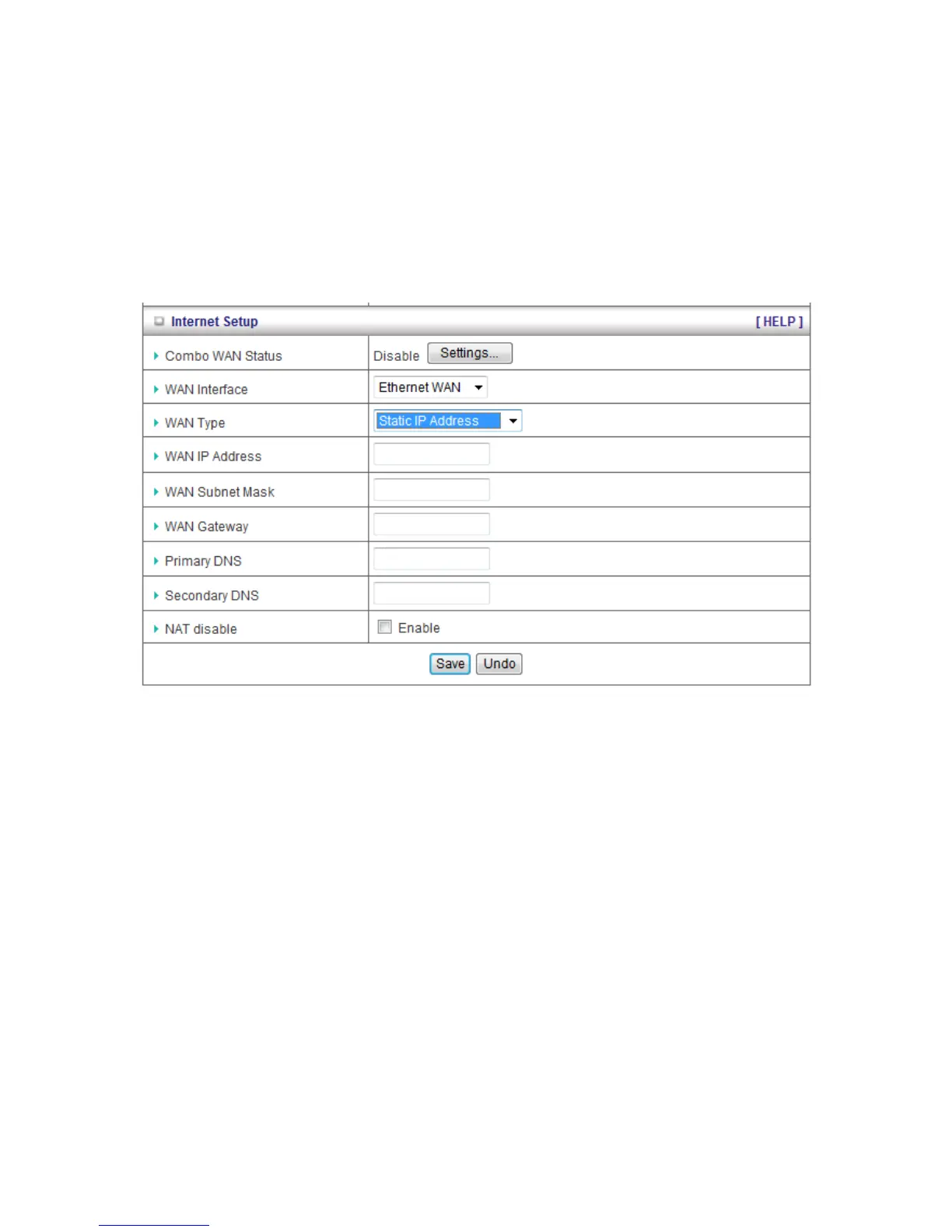
C. Static IP Address
1. WAN Type: Choose Static IP Address.
2. WAN IP Address: Input the IP address you got from ISP.
3. Subnet Mask: Input the subnet mask of IP address you got from ISP.
4. WAN Gateway: Input the IP address of WAN gateway you got from ISP.
5. Primary DNS: Input the IP address of primary DNS you got from ISP.
6. Secondary DNS: Input the IP address of secondary DNS you got from ISP.
7. NAT disable: You can disable NAT feature if required.














 To Next Page