C. Installation Steps
Note:
connect the router to power
before performing the installation steps below.
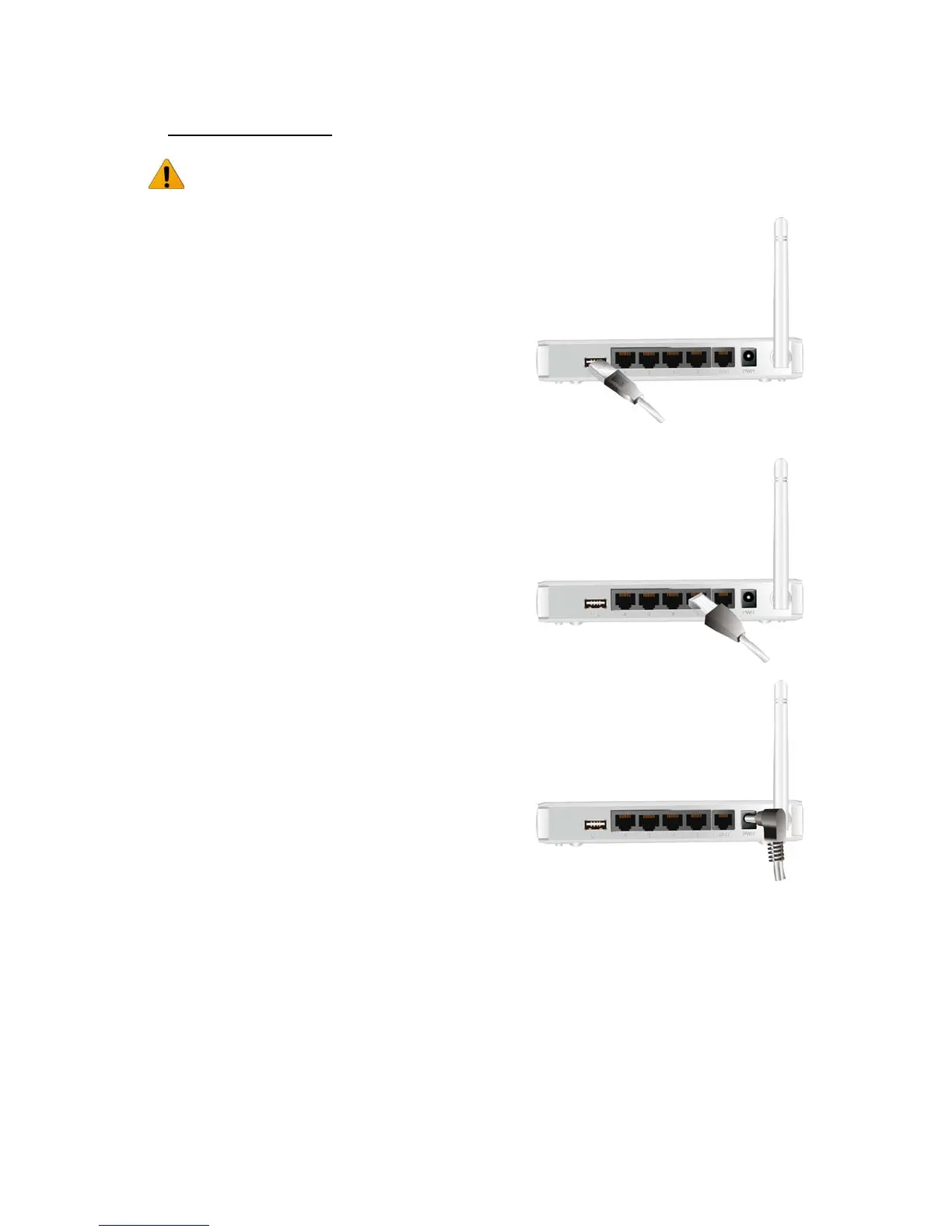
Step 1.
Plug a USB modem into USB port.
Step 2.
Insert RJ45 cable into LAN Port on the back panel of
the router. Then plug the other end of into computer.
Step 3.
Plug the power jack into the receptor on the back
panel of the router. Then plug the other end into a wall
outlet or power strip.














 To Next Page