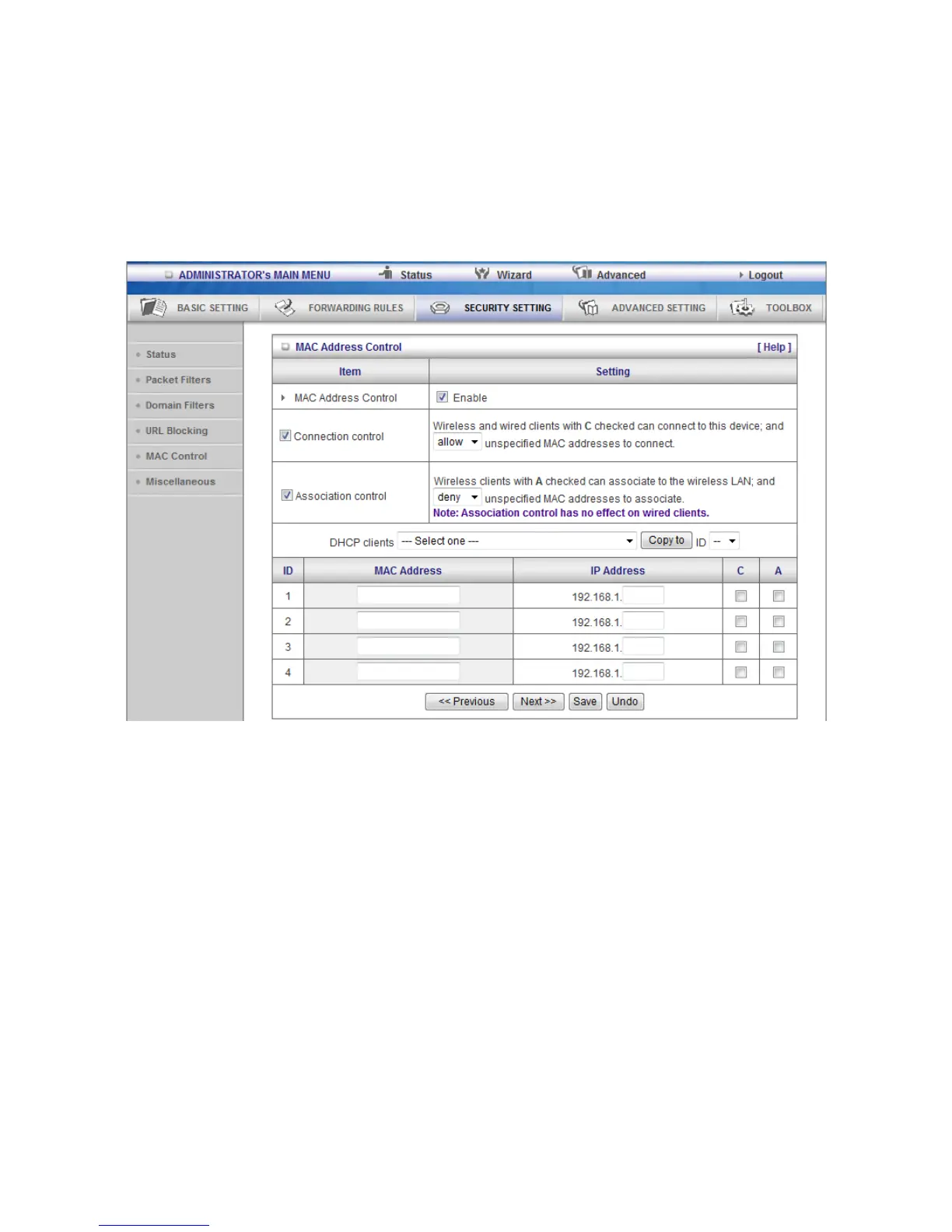
3.3.3.4 Internet Access Control
The device provides "Administrator MAC Control" for specific MAC to access the device or Internet without
restriction. It also provides 3 features to access Internet: MAC Control by host, Group MAC Control and
Interface Access Control depend as user-defined time Schedule.
1. MAC control
MAC Address Control allows you to assign different access right for different users and to assign a specific IP
address to a certain MAC address.
MAC Address Control Check “Enable” to enable the “MAC Address Control”. All of the settings in
this page will take effect only when “Enable” is checked.
Connection control Check "Connection control" to enable the controlling of which wired and wireless
clients can connect to this device. If a client is denied to connect to this device, it
means the client can't access to the Internet either. Choose "allow" or "deny" to
allow or deny the clients, whose MAC addresses are not in the "Control table"
(please see below), to connect to this device.
Association control Check "Association control" to enable the controlling of which wireless client can
associate to the wireless LAN. If a client is denied to associate to the wireless LAN, it means the client can't
send or receive any data via this device. Choose "allow" or "deny" to allow or deny the clients, whose MAC
addresses are not in the "Control table", to associate to the wireless LAN.















 To Next Page