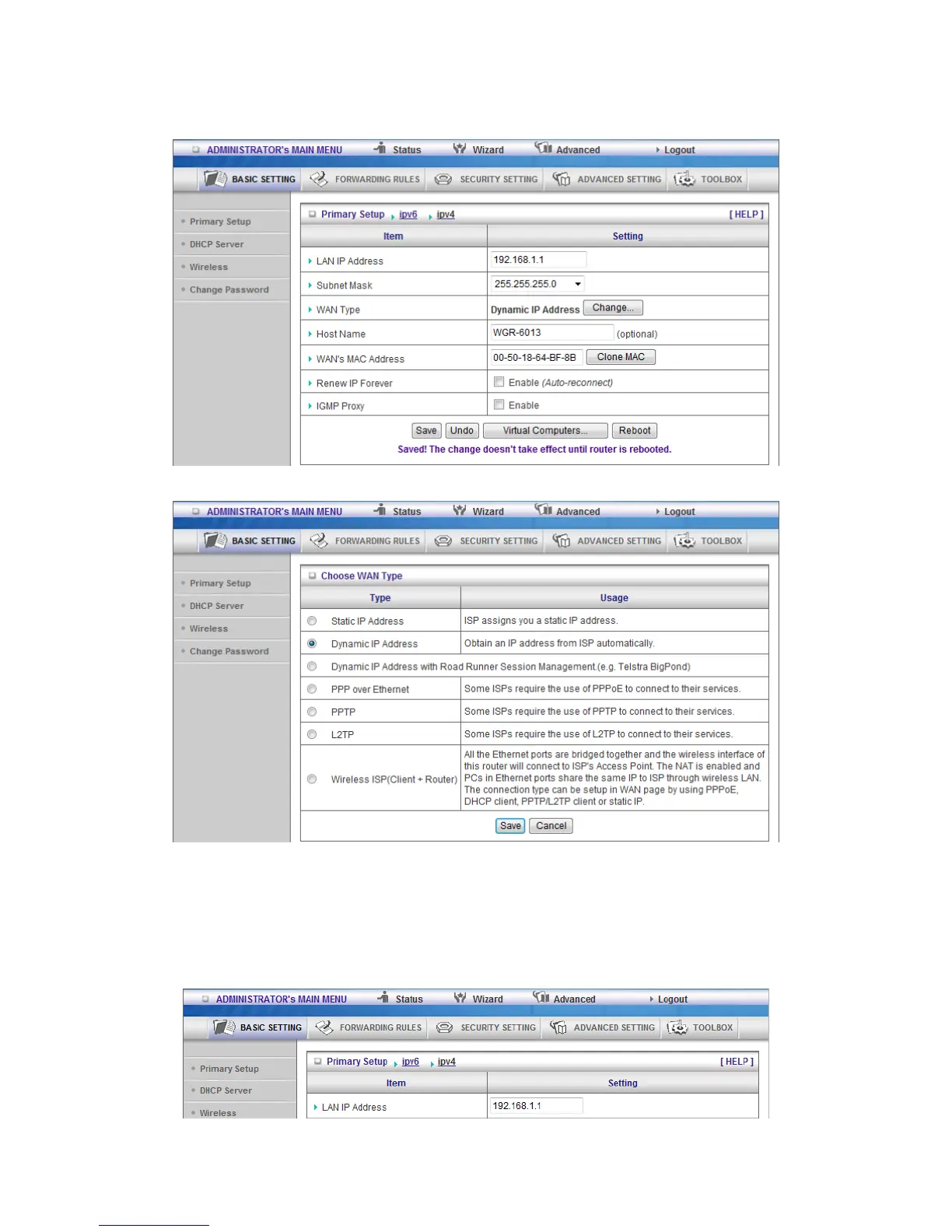
2.3.1.1 Primary Setup – WAN Type, Virtual Computers
Press “Change”
This option is primary to enable this product to work properly. The setting items and the web
appearance depend on the WAN type. Choose correct WAN type before you start.
1. LAN IP Address: the local IP address of this device. The computers on your network must
use the LAN IP address of your product as their Default Gateway. You can change it if
necessary.













 To Next Page