41920-CP8
5 DI-060-41920-25A
Panel Descriptions
Front Panel
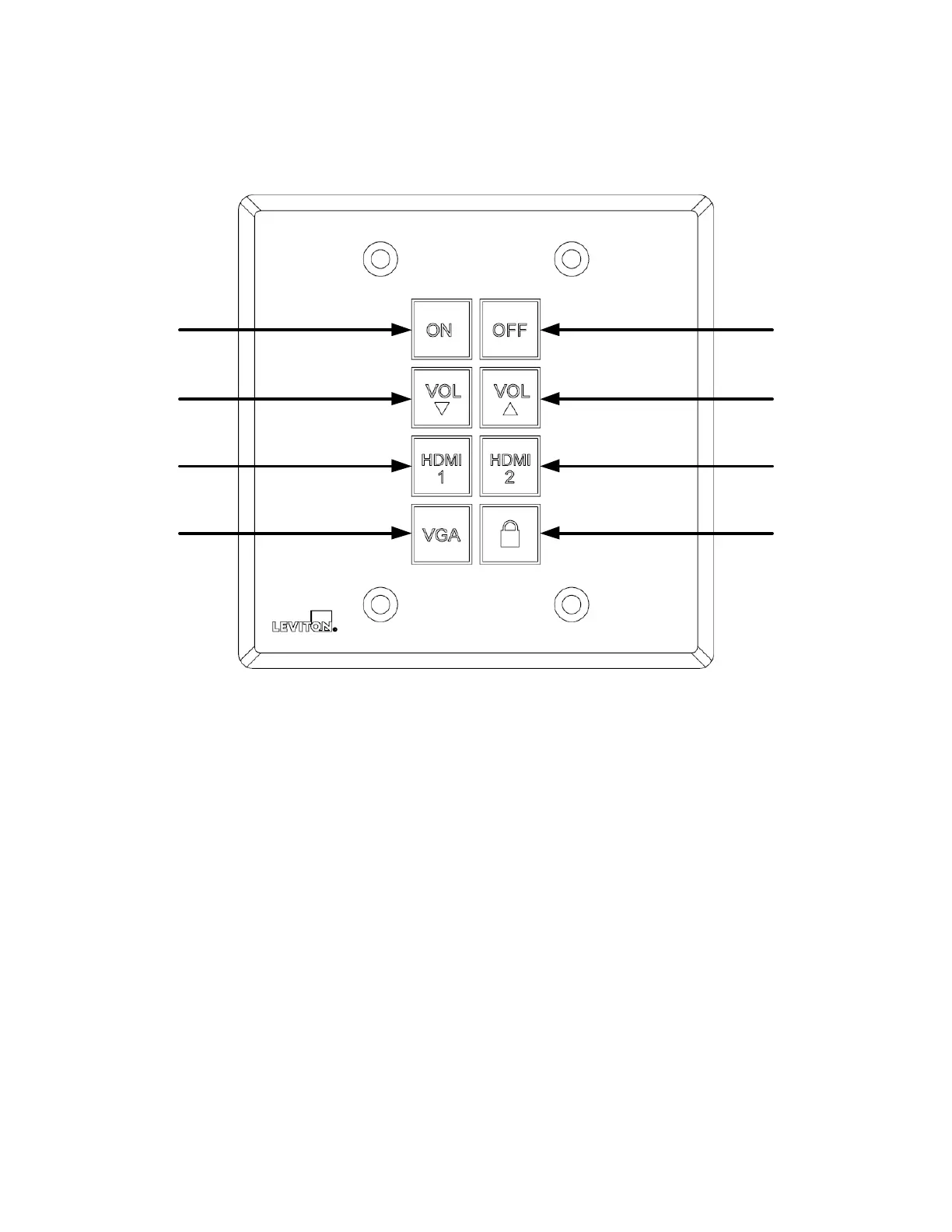
1) POWER ON – Used for power on
2) VOLUME DOWN – Used for volume down
3) HDMI 1 – Changes the Autoswitching wallplate to HDMI1 input
4) VGA – Changes the Autoswitching wallplate to VGA input
5) POWER OFF – Used for power off
6) VOLUME UP – Used for volume up
7) HDMI 2 – Changes the Autoswitching wallplate to HDMI 2 input
8) LOCK – Used to lock the Control Panel



 To Next Page