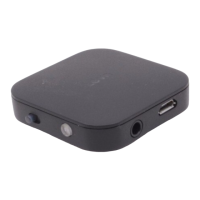
BTI-020V connect with two device simultaneously while working as a Bluetoot h receiver
BTI-020V could connect with tw o mobile pho ne simultaneously (but coul d not play music from two
mobile phone at the same time. you coul d choose any mobile phone t o play music, but it need t o pause
or end t he music from othe r mobile phone )
A. Na med the two mobile phone as A and B.
B. Following the pai ring s teps to connect A wi th BTI -020V, afte r successful connection, please s witch off the
Bluetooth of the mobile A. Double cli ck MFB of BTI-020V to e nte r into pai ring mode .
C. Conne ct mobile B with BTI-020V. Afte r successfull y connection, power off BTI-020V. Switch on the
Bl ue tooth of mobile A ,and the powe r on BTI -020V, a round 30 seconds BTI-020V and the two mobile phones will
connect automatically.
Packaging lis t
Tips for pairing:
1. Put the Blue tooth headse t or Blue tooth speake r into pairing mode . Then power on BTI-020V will
connect to BTI-020V qui ckl y again,if the Bluetooth headset or Blue tooth spea ke r connected with BTI -020V
before. No need to make the BTI-020V ente r into pai ring mode .
2. If BTI-020V did not connect with the Blue tooth headse t or speake r more than 1 minutes. Please try
to clear up the pairing lis t of the BTI-020V. I f the Blue tooth headse t or Blue tooth speaker connected with
BTI -020V be fore , please re open the BTI -020V after clear up the pairing lis t.
Ba tte ry in fo rma ti on
Your device is powered by a recha rgeable ba tte ry .The full pe rforman ce of a new ba tte ry is achie ved onl y
afte r two of three comple te cha rge and discha rge cycles .The battery can be cha rged and discha rged hundreds of
times, but it will eventually wear out. Do not leave a fully charged ba tte ry conne cted to a cha rge r since
overcharging may shorten battery lifetime. If left unused, a fully charged battery will lose power with time past.
Leaving the device in hot or cold places, such as in closed car in summer or winter conditions , will reduce the
capa ci ty and lifetime of the ba tte ry .Should always try to keep the ba ttery between 15 ℃and 25 ℃. Battery
performance is particularly limited in temperatures well below freezing .Do not dispose of batteries in a fire as
they may explode .Battery may also explode if damaged.
Sa fety instructi on
Your device is excellent produce in design and craft, should be used with caution. The following suggestions
will help you effectively use warranty service.


 To Next Page
 Loading...