10
CARE &
MAINTENANCE
Cleaning the Tower Fan
1. Unplug before cleaning.
2. Wipe the outside of the tower fan with
a soft, dry cloth. If necessary, wipe
the housing with a damp cloth, then
immediately dry.
3. Use a vacuum, duster, or compressed air
to clean the inside of the tower fan.
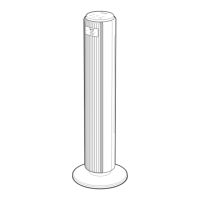
4. If necessary, use a screwdriver to remove
the back cover and clean the inside of
the tower fan. [Figure 3.1]
Figure 3.1
When the tower fan is in standby or turned
o and unplugged, it will remember all its
previous settings, except for timer.
Turn on Auto Display O if you would like the
display to automatically turn o when there is
no operation.
1. Press and hold for 3 seconds to turn
on Auto Display O.
2. After 60 seconds of no operation, the
display will automatically turn o (except
in Advanced Sleep Mode).
3. Tap any button to temporarily turn the
display back on. If you don’t tap another
button, the display will turn back o after
60 seconds.
4. Press and hold for 3 seconds to turn
o Auto Display O.
• The tower fan is in Standby Mode
when it is turned o, but plugged in.
• Tap to turn the tower fan on.
Auto Display Off
Memory Function
Standby Mode
USING YOUR TOWER FAN (CONT.)
Notes:
• Make sure the tower fan is turned o
before removing the back cover.
• Clean the internal parts with a dry
cloth.
• Do not clean with abrasive chemi-
cals or flammable cleaning agents.
• Do not allow water to drip into the
motor housing.


 To Next Page