EasyManua.ls Logo

Levoit LV373TF - User Manual

Levoit LV373TF
34 pages
Print Icon
To Next Page IconTo Next Page
Loading...
Questions or Concerns?
Please contact us Mon-Fri 9:00AM-5:00PM PST
at (888)726-8520 or email support@levoit.com
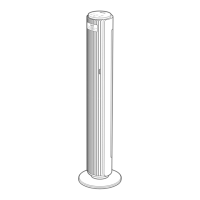
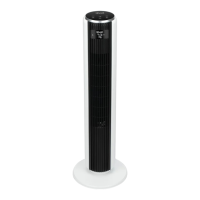
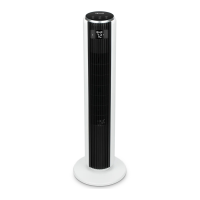
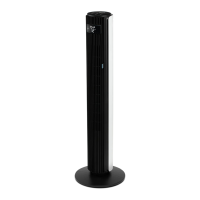
37-inch Three-speed
Oscillating Tower Fan
Model: LV373TF
Questions or Concerns?
support@levoit.com
(888) 726-8520
ENGLISH • ESPAÑOL

Questions and Answers

  • R
    Ryan SanchezAug 4, 2025
    How to fix Levoit Fan if it doesn't turn on?
    • J
      Jose RandallAug 4, 2025
      If your Levoit Fan isn't turning on, first ensure the power cord is securely plugged into the wall outlet. If it seems loose, firmly re-plug it. If the fan still doesn't power on, try plugging it into a different outlet to rule out an outlet issue.
  • J
    Jody ThompsonAug 11, 2025
    What to do if the Levoit Fan remote control is not working?
    • T
      Tracey Richards MDAug 11, 2025
      If the remote control isn't working with your Levoit Fan, first replace the batteries in the remote. Also, ensure that you are within 15 feet (6m) of the fan when using the remote.
  • Z
    zunigaryanAug 27, 2025
    How to fix Levoit LV373TF if it does not rotate smoothly?
    • R
      Russell CameronAug 27, 2025
      If your Levoit Fan isn't rotating smoothly, the track for the motor may be obstructed. If possible, remove the obstruction from the track. If the issue persists, the fan motor may not be properly lubricated, in that case, do not attempt to repair the motor.
  • F
    flindseySep 10, 2025
    Why is the Levoit LV373TF Fan airflow restricted?
    • J
      Jacob RodriguezSep 12, 2025
      If the airflow of your Levoit Fan seems restricted, the intake or exhaust vent might be dirty, or dust may have accumulated between the blades. Clean the fan to resolve this issue.

Summary

Important Safety Information

Main Functions

Display Functions

Control Panel

Set-Up

Assembling the Base Plate

Step-by-step guide on how to attach the base plate to the tower fan.

Removing & Disassembling the Base Plate

Instructions for detaching the base plate from the fan unit.

Operation

Button Controls

Details the functions of the power, fan speed, timer, and mode buttons on the fan.

Sleep Mode

Describes the three fan speed variations within the Sleep Mode function.

Nature Mode

Explains how Nature Mode randomly selects fan speeds to simulate breezes.

ECO Mode

Details ECO Mode's automatic fan speed adjustment based on ambient temperature.

Oscillation Function

Instructions for turning the fan's oscillation function on or off.

Turning Off the Display

How to manually turn off the fan's display screen for convenience.

360° Rotation

Explains how to manually rotate the top portion of the fan.

Temperature Display

How the fan displays ambient room temperature and timer alternation.

Memory Function

Details the fan's ability to remember and resume previous settings.

Remote Control

Information on operating the fan using the included remote control.

Nature Mode Power Levels

Graphical representation of fan speed changes in Nature Mode.

Cleaning & Maintenance

General Maintenance

Guidelines for cleaning the fan's exterior and internal parts.

Remote Control Battery Replacement

Step-by-step instructions for changing the battery in the remote.

Storage Recommendations

Recommendations for storing the fan when not in use.

Troubleshooting

Warranty Information

Terms & Policy

Outlines Levoit's product warranty terms and conditions.

Additional 1-Year Warranty

Information on how to extend the product's warranty by one year.

Defective Products & Returns

Procedure for returning defective products for warranty claims.

Customer Support

Levoit LV373TF Specifications

General IconGeneral
BrandLevoit
ModelLV373TF
CategoryFan
LanguageEnglish

Related product manuals